


iPhone and iPad App Store Screenshot Maker
Create App Store screenshots from templates or a blank canvas, customize every detail visually, generate every required iPhone and iPad size, localize each market, preview the listing, and upload directly to App Store Connect.
App professionals
Screenshots exported
Developer days saved














Create App Store Screenshots in Minutes, Not Hours
Pick a style, drop in your screens, and get a complete set of App Store Screenshots in minutes. AppScreens uses a responsive design engine, so one layout adapts across iPhone, iPad, and localized App Store outputs. When you are ready, export upload-ready files or publish straight to App Store Connect.
Creating screenshots shouldn’t take a weekend or a design degree.




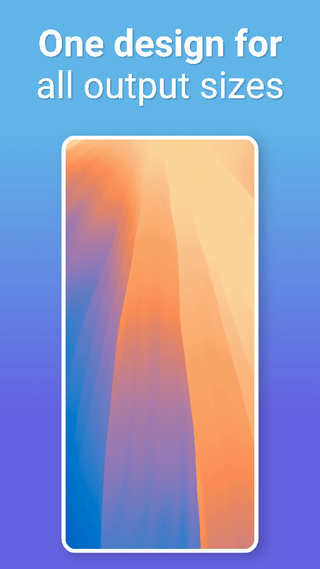
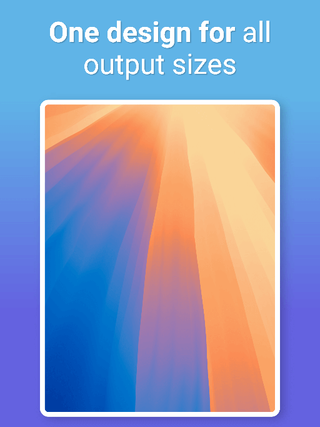
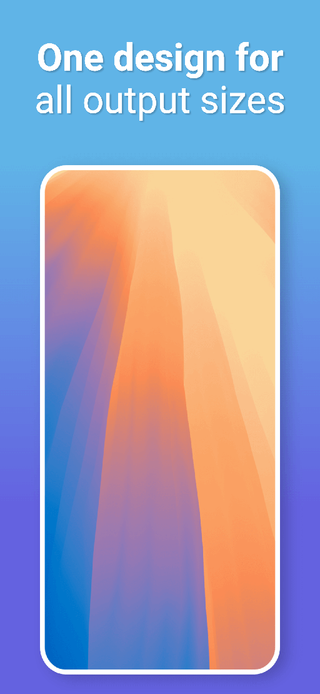

Start with an App Store Template
Start with 150+ template sets and 500+ editable screenshot layouts for App Store Screenshots, then export across App Store and Google Play target sizes without rebuilding each canvas. Pick a template, customize fast, then export or upload with confidence.


The App Store Screenshot Generator
Design once and generate iPhone screenshots, iPad screenshots, localized App Store outputs, and App Store Connect-ready files.
One design adapts across iPhone, iPad, and localized outputs
Preview every App Store size before export
Maintain consistent spacing, type, and alignment
Generate all required sizes without duplicate files
Supports custom sizes for release campaigns and more
Apple device classes
Create every iOS and iPhone screenshot size
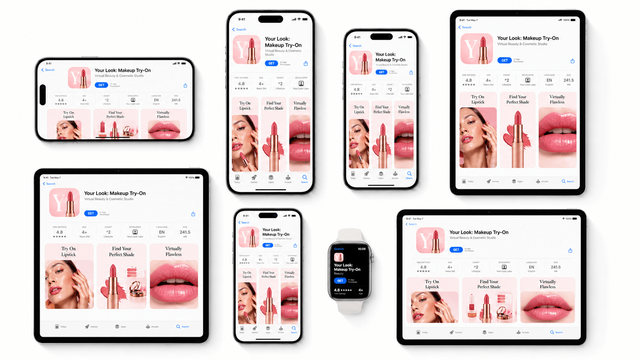
An iOS screenshot generator should cover iPhone, iPad, and App Store Connect device classes without forcing you to rebuild every file. Start from a responsive layout, add real app screens, then export Apple-ready outputs while checking templates and exact App Store screenshot sizes in one workflow.
Apple growth workflows
Move faster with an App Store screenshot maker
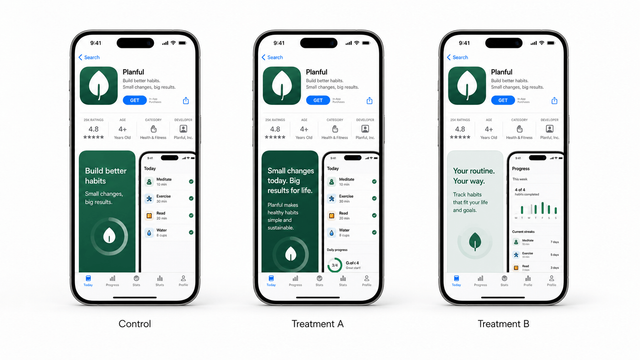
An App Store screenshot maker is most useful when it keeps testing fast. Duplicate a screenshot set, change the message or layout, localize the treatment, then export variants for Product Page Optimization, Custom Product Pages, and release campaigns without redesigning each device size.
Localization and exports
Localize, export, and upload faster
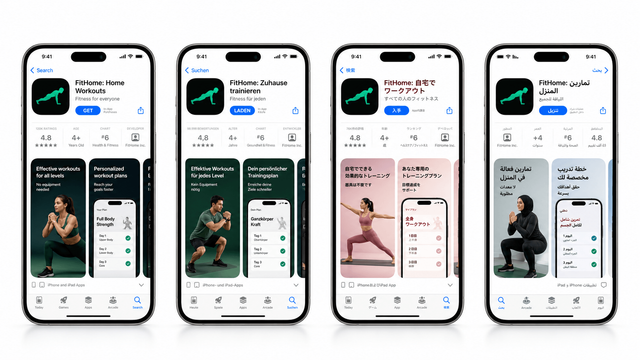
A good iPhone screenshot generator also keeps ongoing releases manageable. Translate captions, adapt copy per locale, preserve layout rules across languages, reuse the same App Store screenshot maker project, then export organized files or upload directly to App Store Connect.
Localize and upload screenshot setsFrom App to App Store Connect-ready Screenshots
AppScreens turns your App Store listing details into App Store Connect-ready screenshots using a single responsive project. Generate iPhone screenshots, iPad screenshots, localized outputs, and experiment variants, then export pixel-perfect files or upload directly to App Store Connect when you are ready.








Customize your App Store Screenshots
Start with a template or blank canvas, then customize screenshots, device frames, text, badges, shapes, SVGs, fonts, and backgrounds directly on the canvas. Use alignment guides for quick layout or Exact Dimensions when precision matters.
Choose from 500+ editable layouts.
Start with 150+ coordinated template sets, generate 2,000+ store-ready output combinations, or begin with a blank canvas and make every detail your own.


Device frames.
Resize, rotate, position, and tint frames to match your brand.


Text, badges & icons.
Make benefits obvious with bold titles, badges, icons, and emojis.


Panoramic backgrounds.
Connect the whole set with panoramics, gradients, colors, or images.


Localize App Store Screenshots in 80+ Languages
Translate once, then export every language from the same project. Localization case studies report +101% to +128% more downloads. Learn more →
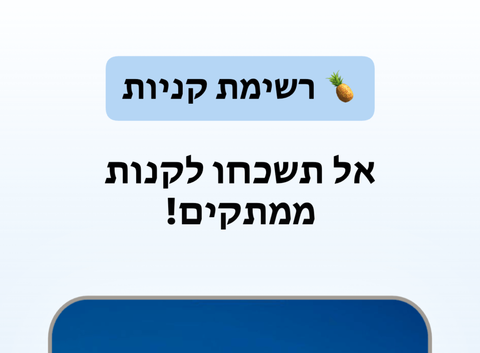
Turn one screenshot set into localized App Store Screenshots for every market. AppScreens keeps layouts consistent when text expands, contracts, or flips direction, so your screenshots stay on brand and ready to upload. Localized screenshots matter because visitors decide faster when the first frames speak to their market, language, and expectations.
Use AI to translate in seconds, then fine-tune per language when you need to. Override captions, fonts, screenshots, and spacing per locale, without duplicating projects or rebuilding layouts.


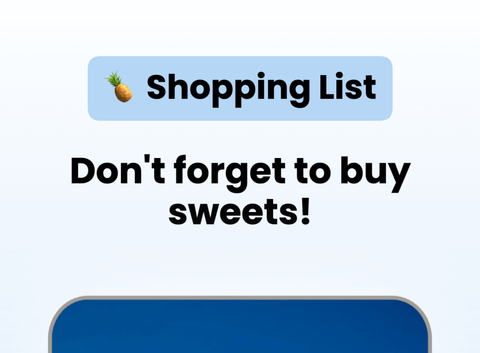

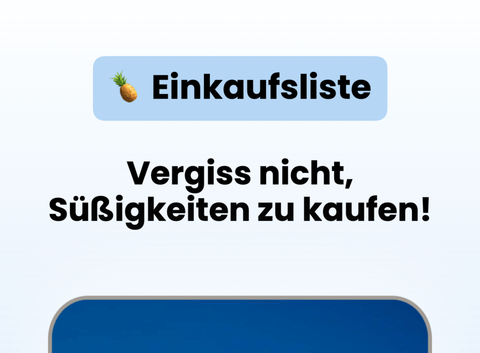

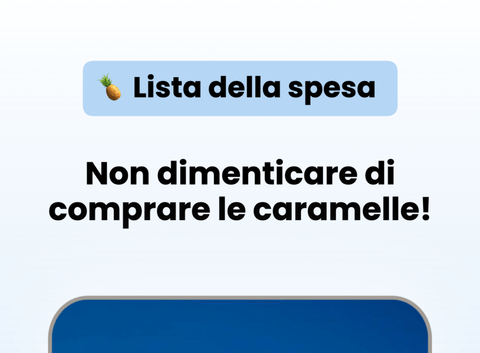
Upload Workflow for Screenshot Variants to App Store Connect
Automatically upload App Store Screenshots in one click after designing them in AppScreens. Publish every iPhone, iPad, and localization without repetitive exports or store-by-store uploads.
Ship localized listing assets, Custom Product Pages, and PPO variants with the same one-click flow. For release planning, read the App Store Connect release checklist.

App Store Connect
API Integration



Google Play Console
API Integration

Improve ASO with better screenshots
App Store Screenshots are your app’s first impression. They help people picture what your app does and decide, in seconds, whether it’s worth installing. Great screenshots do more than look nice. Apps have seen up to +61% more downloads from better store assets. Learn more →
Public ASO sources cite around 90% of users not scrolling past the third screenshot, so the first frames need to explain the value fast, set expectations, and turn browsing into downloads. Ignore them, and you’re leaving one of the biggest levers in App Store Optimization on the table.
AppScreens makes screenshot iteration painless: restyle your project to a new template, responsive sizing, localization, and upload-ready exports. Using Product Page Optimizations & Experiments, you can try new screenshots, improve conversions and get more downloads in just a few minutes.
Search
Results
AppScreens
Screenshots & ASO


App
ASO & Product Demos
We've Boosted Downloads for over 150,000 App Developers
Real feedback from app builders shipping faster and looking sharper on the App Store.

“Shoutout to AppScreens for a great app screen generator. Intuitive, comprehensive, and easy to use!”
“Looks like I have some preview screens! Thanks again to @AppScreens. Pretty good at handling different devices (iOS/Android) with multiple languages”

“Perfect for generating promotion images for the App Store! Perfect to auto translate and manage multiple translations and variations.”
“It is really easy to make a good set of screenshots. Amazing tool! Loved it”
“Shoutout to AppScreens for a great app screen generator. Intuitive, comprehensive, and easy to use!”
“Looks like I have some preview screens! Thanks again to @AppScreens. Pretty good at handling different devices (iOS/Android) with multiple languages”
“Perfect for generating promotion images for the App Store! Perfect to auto translate and manage multiple translations and variations.”
“It is really easy to make a good set of screenshots. Amazing tool! Loved it”
“Super happy with Appscreens! I was fussing around with ChatGPT for a full day trying to create something as well as photoshop. I am very happy and I wanted to thank you all!”
“Well worth the money, saves hours and hours of kicking around. Highly recommend!”
“Thank you @AppScreens for making this tedious job, a bit more enjoyable.”
“If you are looking for a tool for creating perfect screenshots, you are in the right place.”
“Super happy with Appscreens! I was fussing around with ChatGPT for a full day trying to create something as well as photoshop. I am very happy and I wanted to thank you all!”
“Well worth the money, saves hours and hours of kicking around. Highly recommend!”
“Thank you @AppScreens for making this tedious job, a bit more enjoyable.”
“If you are looking for a tool for creating perfect screenshots, you are in the right place.”

“It has helped us save countless hours, meet store standardized dimensions and elevate the quality of our screenshots.”

“Great for indie devs or small teams! It's super easy to use and saves you a lot of time, all without compromising design flexibility.”
“Special thanks to @AppScreens their tool saved us hours!”
“It has helped us save countless hours, meet store standardized dimensions and elevate the quality of our screenshots.”
“Great for indie devs or small teams! It's super easy to use and saves you a lot of time, all without compromising design flexibility.”
“Special thanks to @AppScreens their tool saved us hours!”
Frequently asked questions
Can’t find the answer you’re looking for? Reach out to our customer support team.
AppScreens
The App Store Screenshot Generator
Create App Store Screenshots with customizable templates or a blank canvas, responsive device layouts, localization, listing previews, store-ready exports, and direct uploads.
App Store Screenshots templates.
Start with App Store Screenshots templates and customize layouts, captions, devices, and branding for faster store launches.
- 150+ templates. 500+ editable layouts. 2,000+ store-ready output combinations.
- Templates for App Store Screenshots
- Start from a layout, then customize fast
- Restyle a project to new themes for variants
- Templates built for conversion-focused messaging
Responsive screenshot layouts for every device size.
Design once and generate iPhone screenshots, iPad screenshots, App Store variants, and localized outputs.
- One design adapts across iPhone, iPad, App Store variants, and localized outputs
- Preview every device size before export
- Maintain consistent spacing, type, and alignment
- Generate all required sizes without duplicate files
- Supports custom sizes for launch variants and more
Custom fonts, text styling, and rich text.
Match your brand with Google Fonts, uploaded fonts, rich text, badges, emojis, and precise typography controls.
- Use 1,500+ Google Fonts
- Upload custom fonts
- Rich text, emojis, and text auto-sizing
- Titles, subtitles, badges, and overlays
- Fine control over typography and spacing
Device frames and App Store mockups.
Place your iOS app inside polished iPhone and iPad mockups designed for App Store product pages.
- Real, clay, 3D, outline, frameless frames
- Adjustable device tint and styling
- Rotate, scale, and position devices
- Multi-device scenes in one screenshot
- Designed for App Store product page layouts
Backgrounds, gradients, and panoramic images.
Build connected screenshot sets with backgrounds, gradients, image fills, shadows, overlays, and depth effects.
- Panoramic backgrounds that connect a set
- Solid colors, gradients, images, and tiled backgrounds
- Shadows, overlays, and depth effects
- Consistent styling across the full set
- Brand-ready backgrounds without design tools
Bulk import, auto-matching, and organization.
Upload existing screenshots in bulk, auto-match them to device sizes, and keep release assets organized.
- Bulk upload screenshots
- Auto-match screenshots by aspect ratio and device size
- Auto-detect language codes
- Keep everything in one project
- Duplicate projects to create new versions fast
Localization, translation, and RTL support.
Translate and localize screenshot text, layouts, fonts, and RTL variants from the same project.
- Translate and localize screenshots in 80+ languages
- RTL support for languages like Hebrew and Arabic
- Override text, screenshots, fonts, and spacing per locale
- Keep layouts stable when text expands or contracts
- Export every language from the same project
Export formats, sizes, and compliance.
Export App Store Screenshots at exact pixel sizes with high-resolution PNG output and store-ready file organization.
- Pixel-perfect exports for App Store
- Export the exact screenshot sizes required
- High-resolution PNG exports
- Store-ready naming and organization
- Always updated with new device and store requirements
Automatic upload to App Store.
Upload localized screenshot sets directly to App Store Connect once each device size is ready.
- One-click screenshot uploads to App Store Connect
- Upload every device size and localization
- Support for Product Page Optimization and Custom Product Page variants
- Publish faster without repetitive exporting and store-by-store uploads
ASO workflows and iteration.
Create screenshot variants for ASO tests, release updates, new themes, CPP pages, and PPO experiments.
- Create variants quickly for experiments
- Restyle projects to test new themes
- Update once and regenerate the full set
- Improve conversion by making value obvious faster
- Build a repeatable screenshot workflow for every release
App Store and other app stores.
Build App Store screenshot assets alongside other app store formats and custom sizes from the same project.
- App Store
- Apple App Store
- Microsoft Store
- Google Chrome Web Store
- Amazon App Store
- Huawei AppGallery
- Custom Sizes
AI integration and controls.
Use AI to suggest captions, translate localized copy, and restyle projects while keeping human control.
- AI suggested captions
- AI translation & localization
- AI project restyling
Turn visitors into installs
Make your app's value obvious with professional, localized, App Store Connect-ready screenshots. Screenshots ready to export, upload and publish today.
© 2026 AppScreens, a registered business name of Salty Bytes Pty Ltd. All rights reserved | v1.1.249