
App Store Manager
Manage App Store and Google Play Listing Copy and Metadata
Update app names, subtitles, keywords and descriptions in every language from one place. Review the changes, then save them to App Store Connect and Google Play with your own API access.
Start free. No card required. How to connect


CookBook
 App Store Connect
 English (U.K.)
- App Name
- Recipe Keeper - CookBook
- Saved
- Subtitle
- AI Import & Shopping List
- Saved
- Description
- Stop screenshotting dinner ideas. CookBook turns recipes from Instagram, TikTok, websites and photos into meals you can plan, shop and cook.
- Saved
Sent with your App Store Connect API key
App professionals
Screenshots exported
Developer days saved














Manage your store listings in one workspace
Bring the app’s existing store copy into AppScreens. Prepare the fields and languages together, then review one clear set of changes before saving.
Store metadata, CookBook. App Store Connect (API key · CookBook): Connected; Google Play Console (Service account · CookBook): Connected; Download JSON (Version metadata · 2 languages): Ready; Upload JSON (3 field changes within the limits): Valid; Save to store (App Store Connect · en-GB, de-DE): Saved.
Connect your apps once
Bring your Apple and Google listings into the same workspace using store credentials you control. Return to the connected app whenever it needs an update.
Prepare the update across languages
Start with the current store copy. Export the fields and languages you want to change, then use your preferred AI tool with AppScreens’ instructions to prepare the revised file.
Review every field before saving
Import the update to see the current and proposed values together. AppScreens checks the field limits and keeps each change tied to its app, language and store destination.
Save the approved copy to the store
Apply the reviewed update directly to App Store Connect or Google Play. Complete the store’s review and publishing steps in its console, with your screenshot project ready alongside the copy.
One release, every language
Over 600 fields. No copy and paste.
Localize one release into every language both stores support and the listing copy adds up fast. Instead of editing each field in each store console, download one file per store section, let your AI tool update every language, then review and save the changes with your own API access.
- App Store fields

300 - App Name, Subtitle, Keywords, Promotional Text, Description and What’s New in 50 languages
- Google Play fields

320 +- Title, short description, full description and release notes in 80+ languages
- Per store section
- 1 file
- Every field and language for App information, version metadata, the store listing or release notes, reviewed before it’s saved
Your AI tool writes. You approve.
Use your preferred AI tool to refresh a description, adapt a subtitle or prepare several languages. AppScreens gives it your current copy and store field limits, then brings the result back for your approval.
Keep your existing copy as the starting point
Export the selected fields and languages as JSON with AppScreens’ AI instructions. Your writing tool gets the structure it needs, so you can prepare the update together instead of copying each field into each store.
See every change before it reaches the store
Import the revised file to compare the current and proposed text side by side. AppScreens checks the field limits and shows the app, language and destination. Save the update when you’re happy with it; unselected fields stay as they are.
CookBook example · App information · Subtitle · en-US
{
  "schemaVersion": 1,
  "fields": [
    "subtitle"
  ],
  "localizations": [
    {
      "locale": "en-US",
      "values": {
        "subtitle": "Save recipes. Plan meals."
      }
    }
  ]
}- Before
- Recipes, tags, meal planner
- Proposed
- Save recipes. Plan meals.
- Other fields
- Left out of the file, so they stay unchanged.
App Store and Google Play copy, in the right fields
Manage app names, subtitles, descriptions, keywords and release notes without losing track of where they belong. Each update stays tied to the selected app, store and content destination.
| Store | Content destination | Supported fields | Update context |
|---|---|---|---|
| App Store | App information | App Name, Subtitle, Privacy Policy URL, Privacy Choices URL and Privacy Policy Text | App identity and localized value proposition, on the selected app record. |
| App Store | Version metadata | Description, Keywords, Promotional Text, Marketing URL, Support URL and What’s New in This Version | Copy for the selected platform and version, using its available editable fields. |
| Google Play | Store listing (app-wide) | App Name/title, Short Description and Full Description | The listing for the connected app and chosen store languages. |
| Google Play | Release notes | What’s New/releaseNotes | The exact selected release in its track, with the existing artifact version codes. |
Scroll the table sideways to see every column.
Credentials you create
Connect with an App Store Connect API key or a Google Play service account that you create in the store console.
Access you control
Choose the key or account’s access in the store console, and revoke it there at any time.
Changes you approve
Imported copy is validated and shown before and after. Nothing reaches the store until you choose Save to store.
Update your listing copy across languages
Prepare every language in one file, review each translated update, then save it to the store. Here is CookBook’s published App Store listing, language by language.
 English (U.K.)en-GB
- App Name
- Recipe Keeper - CookBook
- Subtitle
- AI Import & Shopping List
- Description
- Stop screenshotting dinner ideas. CookBook turns recipes from Instagram, TikTok, websites and photos into meals you can plan, shop and cook.

 Germande-DE
- App Name
- CookBook: Rezeptmanager
- Subtitle
- KI-Import & Einkaufsliste
- Description
- Hör auf, Dinner-Ideen als Screenshot zu speichern. CookBook verwandelt Rezepte von Instagram, TikTok, Websites und Fotos in Mahlzeiten, die du planen, einkaufen und kochen kannst.

 Frenchfr-FR
- App Name
- CookBook: Carnet de recettes
- Subtitle
- Import IA & Liste de courses
- Description
- Arrêtez de capturer vos idées de dîner. CookBook transforme les recettes d'Instagram, TikTok, sites web et photos en repas à planifier, acheter et cuisiner.

 Spanishes-ES
- App Name
- CookBook - Gestor de Recetas
- Subtitle
- Importa IA & Lista de compra
- Description
- Deja de guardar capturas de ideas para cenar. CookBook convierte recetas de Instagram, TikTok, webs y fotos en comidas que puedes planificar, comprar y cocinar.
One file for every language
Download the fields and languages you want to change, update them with your AI tool and import them in one go.
Written for each market
Give the AI your app’s facts, brand voice and market context. Review the wording and limits before saving.
Screenshots in step
Pair the listing with localized captions and app captures from the same AppScreens workspace.
Translate the matching screenshots into 80+ languages
 English (US)en-US
- English (UK)en-GB
- Germande
- Frenchfr
- Spanishes
 Italianit
 Portuguesept
 Portuguese (Brazil)pt-BR
 Japaneseja
 Koreanko
 Chinese (Simplified)zh-CN
 Chinese (Traditional)zh-TW
 Arabicar
 Hebrewhe
 Hindihi
Swipe to explore languages
Keep your copy ready for the next release
Start the next version from the copy you already approved. Keep what still works and refresh what’s new.
Choose what to carry forward
Pick the earlier version, the fields and the languages to reuse.
Refresh what changed
Keep the descriptions that still fit and update the release notes.
Review, then save
Check the destination and every proposed value before saving.
CookBook · Next version, App Store: Description unchanged; What’s New changes from “Updates to recipe discovery.” to “Discover popular recipes inside CookBook, with fresh ideas from websites and social platforms.”.
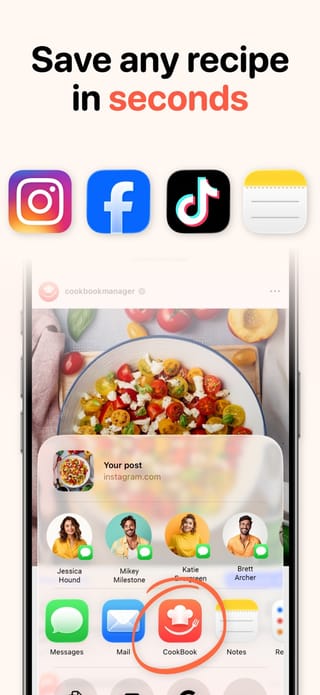
App Store: the next version
Create the next editable version and prepare its description, keywords and release notes.

Google Play: a draft release
Prepare a draft release for a build already on your chosen track, together with its release notes.
Build submission, app review and release settings stay in App Store Connect and Play Console.


Upload Workflow for Screenshot Variants to App Store Connect and Google Play Console
Automatically upload App Store screenshots and Google Play screenshots in one click after designing them in AppScreens. Publish every device size and localization without repetitive exports or store-by-store uploads.
Ship CPP (Custom Product Pages) and PPO (Product Page Optimization) variants with the same one-click flow. For release planning, read the App Store Connect release checklist. See how to upload App Store and Google Play screenshots from AppScreens.

App Store Connect
API Integration




Google Play Console
API Integration


Field limits
App Store and Google Play character limits
Catch text that is too long before saving it to the store. AppScreens checks imported copy against each field’s limit, including Apple’s byte limit for keywords.
Scroll across to see both stores.
| Listing field | App Store | Google Play |
|---|---|---|
| App name / title | 30 characters (minimum 2) | 30 characters |
| Subtitle / short description | Subtitle: 30 characters | Short description: 80 characters |
| Keywords | 100 bytes, separated by commas | No keywords field |
| Promotional text | 170 characters, editable without a new version | Not available |
| Full description | 4,000 characters | 4,000 characters |
| What’s New / release notes | 4,000 characters | 500 characters per language |
Apple keywords count bytes, not characters
The Keywords field holds 100 bytes. Some characters use more than one byte, so AppScreens checks the byte total when you import the copy.
Checked before anything reaches the store
AppScreens validates every imported value against its field limit, then shows a before-and-after review. An overlong subtitle or short description is caught while the change is still a proposal.
See Apple’s version field reference and Google’s store-listing guidance for the content you are preparing.
Keep your apps ready for the next update
Return to each connected app with its store copy and saved screenshot projects in one workspace. Finish one app’s update, then move to the next.
Developer API and Agent MCP · Private testing
Bring automation to the connected workflow
The Developer API and Agent MCP are in private testing. They connect scripts and AI agents to supported listing updates, draft releases and screenshot delivery, with a separate review and approval for store changes. Public access is not open yet.
One workspace
Everything you need to ship your store listing
AppScreens is a browser-based App Store and Google Play screenshot designer: one editable project exports every required iPhone, iPad and Android size in 80+ languages and uploads to App Store Connect and Google Play Console.
Create
Optimize
- Screenshot LocalizationTranslate captions and adapt each locale.
- PPO and Custom Product PagesPrepare variants for tests and audiences.
- Screenshot FeedbackGet a free ASO review of your app listing.
- App Store Screenshot SizesFind the right iPhone and iPad dimensions.
- Google Play Screenshot SizesCheck Android dimensions and requirements.

App store management questions
Can’t find the answer you’re looking for? Reach out to our customer support team.
Bring your next listing update into AppScreens
Keep listing copy, languages and screenshot projects together. Review the changes, save the update and start the next release with your work intact.
© 2026 AppScreens, a registered business name of Salty Bytes Pty Ltd. All rights reserved | v1.1.260