


Google Play Feature Graphic Generator
Create required 1024 x 500 Google Play feature graphics that match Play Store specifications and showcase your app at first glance.

Design and Upload a Feature Graphic
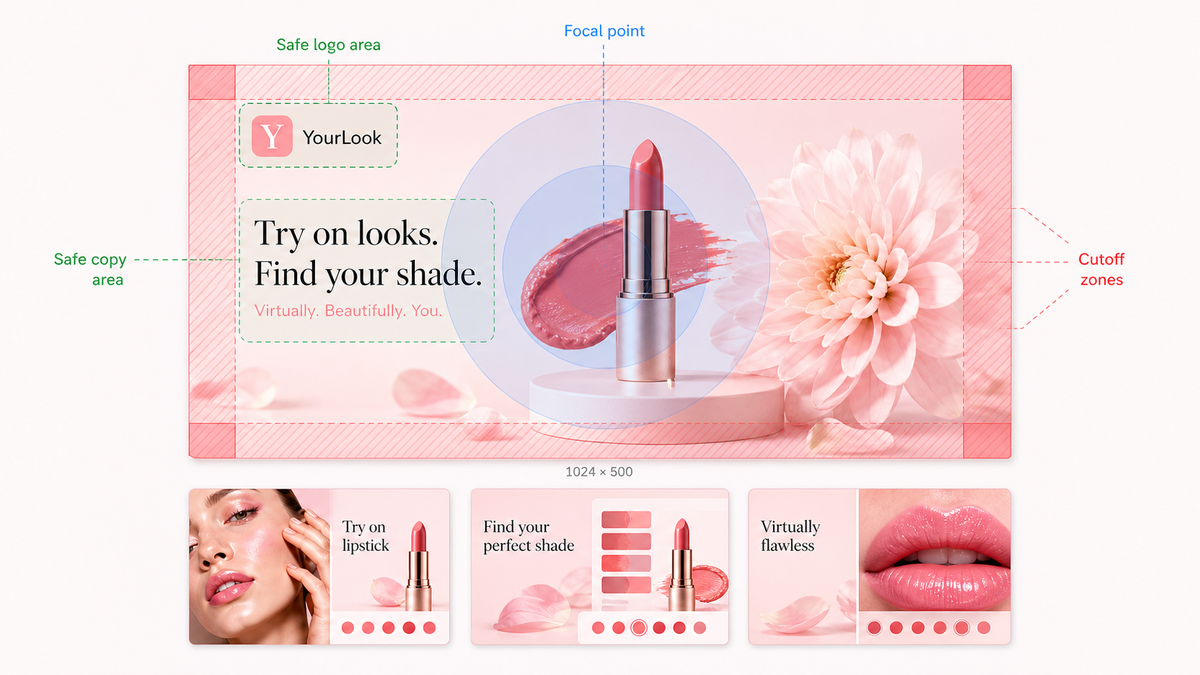
Create the required 1024x500 Google Play graphic from an AppScreens template, keep it aligned with your screenshots, then export a Play Console-ready JPEG or PNG.
Templates for Play Store assets
Start with a feature graphic template
Pick a wide-format template, add your app visuals and short message, then keep the design consistent with the screenshots users see next. AppScreens keeps your feature graphic, screenshot set, colors, and typography together in one editable project.
1024x500 canvas
Editable templates
Matched screenshots
Upload-ready export
Publish requirements
Export the exact Play Console file
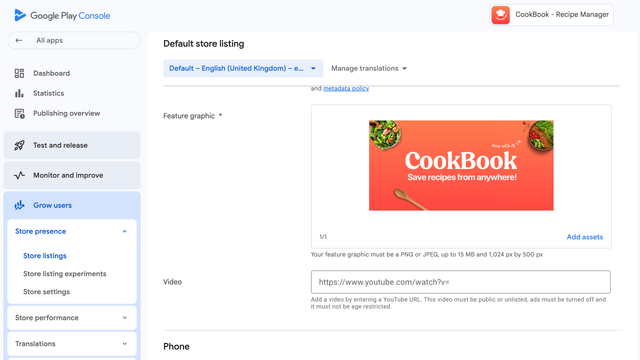
Use a 1024x500 graphic, export as JPEG or 24-bit PNG, and avoid alpha transparency so the asset is ready for Google Play. AppScreens exports the correct canvas size and format so you do not have to resize or re-export by hand.
Requirement reference: Google Play preview assets.
Safe layout rules
Keep the promise readable
Center the main message, keep headlines and logos away from edges, and avoid tiny detail that disappears in smaller placements. AppScreens resizes text, images, and layout elements so your feature graphic stays readable across templates, screenshots, and localized variants.
Upload workflow
Match screenshots, localize, then upload
Keep your feature graphic, screenshots, icon, and localized store assets in one visual system before upload. AppScreens packages the assets for release and keeps the matching screenshot set close by, so the listing does not drift between updates. For examples and mistakes, read the feature graphic guide.
Localization
Adapt the graphic for every priority market
Translate the headline, adjust text length, and keep the same visual hierarchy across localized feature graphics and screenshot sets. AppScreens keeps localized text, sizing, and screenshot variants organized in the same project. For the growth case behind localized store assets, read the localization benefits guide.



Frequently asked questions
Can’t find the answer you’re looking for? Reach out to our customer support team.
Turn visitors into installs
Make your app's value obvious with professional, localized, Play Console-ready screenshots for Google Play. Screenshots ready to export, upload and publish today.
© 2026 AppScreens, a registered business name of Salty Bytes Pty Ltd. All rights reserved | v1.1.247