
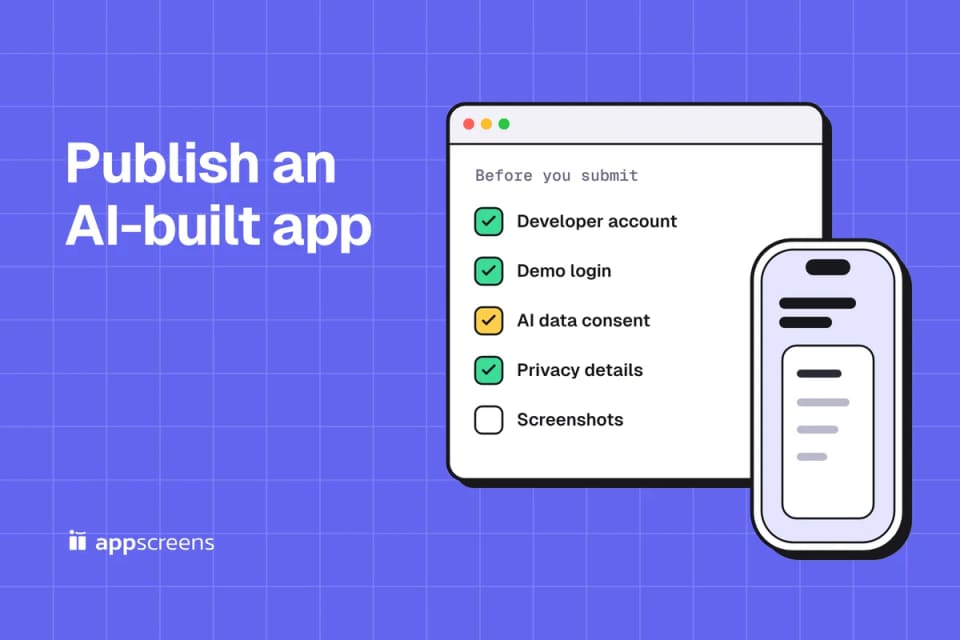
To publish an AI-built app on the App Store, you need a $99-a-year Apple Developer account, a build that does more than show a website, a privacy policy, a demo login for App Review if the app has sign-in, and 1 to 10 iPhone screenshots of the app in use. Apple reviews 90% of submissions in less than 48 hours.
Whether you built with Replit, Bolt, Rork, FlutterFlow, Bubble, Base44 or Lovable, the builder decides how much of the build is done for you, but the App Store Connect listing is yours, screenshots included. If your app sends personal data to an AI service such as OpenAI, Apple requires you to say so and ask permission first. Google Play adds a $25 account and, for new personal accounts, a 14-day closed test with at least 12 testers before you can go live. AppScreens turns real captures of your app into an editable App Store and Google Play set, in the browser or from the agent you built it with.

Quick Take
- Native output: Replit and Bolt build mobile apps when you start a mobile project; Rork, FlutterFlow and Bubble build them natively. Base44 wraps your web app in a web view. Lovable and Glide make web apps.
- Accounts: Apple Developer Program ($99 a year) and Google Play Console ($25 once, plus ID checks).
- Time: Apple reviews 90% of submissions in less than 48 hours. A new personal Google Play account needs a 14-day closed test first.
- Review blockers: no demo login, no account deletion, AI data sharing without consent, and apps that are only a website.
- Listing: screenshots, privacy details, age rating and trader status are yours to complete in App Store Connect, even when the builder submits the build.
- Screenshots: real captures or designed screenshots can be submitted if they meet the store requirements and show the app accurately; the store decides approval. Captions and order change how many visitors install. AppScreens builds the captioned set from your real captures, and it's free to start.
How does an AI-built app get from builder to store?
1. Builder output
An Expo project, a native project or a web app
2. Store build
A signed IPA for the App Store, an AAB for Google Play
3. Test on a phone
TestFlight, and Google Play's closed test for new personal accounts
4. Screenshots
Real captures, a designed set and a listing preview
5. Submit for review
Apple and Google decide approval
A web URL alone is not a store build. A web-only app, such as one from Lovable, needs a native wrapper such as Capacitor, built outside the builder. Base44 generates a web-view IPA and AAB for you.
- Find your builder's native route in the table below; its own docs have the exact steps.
- Create a signed IPA and AAB: from the builder, with EAS for an Expo project, or in Xcode and Android Studio.
- Test the build on a real phone with TestFlight, and run Google Play's closed test if your account needs one.
- Capture the app in use, turn the captures into a screenshot set and check it in a listing preview; the screenshot section below shows how.
- Fill in the listing and submit for review.
Can Lovable, Replit, Bolt and Base44 apps go on the App Store?
Builders change often, so check the linked page before you plan around a row.
| Builder | What it builds | App Store | Google Play | Store screenshots |
|---|---|---|---|---|
| Replit | Expo (React Native), native UI | Builds on Expo's servers and uploads to App Store Connect | Not supported yet | Turns your screenshots into marketing images; you upload them |
| Bolt | Expo (React Native) | You run eas build --platform ios --auto-submit | You upload the AAB to Play Console | No screenshot tool documented |
| Rork | Native Swift and Kotlin (new projects no longer use Expo) | Builds on Rork's machines and uploads to App Store Connect, no Mac needed; you submit for review | Sends to internal testing; you create the first listing | Screenshot Studio, in free beta, makes iPhone images at 1284 × 2778; Google Play images are separate |
| FlutterFlow | Flutter | FlutterFlow Studio deploys through Codemagic on the Basic, Pro and Max plans | First AAB by hand, later releases from Studio | FlutterFlow's separate AI builder makes 1206 × 2622 images, fits copies for Google Play and sends them to both stores |
| Bubble | React Native | Builds (up to 45 minutes) and uploads to App Store Connect, where you submit for review. Needs a Mobile or Web + Mobile plan. | You upload the first AAB; later builds upload automatically | Yours to make |
| Base44 | Your web app in a web view | Generates an IPA that also runs on iPad; you submit it | Generates an AAB; you submit it. Downloading either needs the Builder plan or higher. | Yours to make |
| Lovable | Web apps | No built-in flow; Lovable suggests wrapping the published URL with Capacitor outside Lovable | Same | Yours to make |
| Glide | Progressive web apps | Not supported | Not supported | Not applicable |
A Base44 app, or a Lovable app wrapped with Capacitor, is your website inside an app, and Apple's guideline 4.2 asks apps to go beyond a repackaged website. Apple doesn't publish a list of features that are enough. Give the app something the site lacks, such as push notifications, widgets or offline access, before you submit. Base44's iOS app can't be made iPhone only, so plan an iPad screenshot set as well. The Capacitor screenshot guide covers capturing a wrapped app.
Mobile projects from Replit and Bolt are Expo projects. The Expo and React Native screenshot guide has the capture commands for them. For FlutterFlow, the Flutter screenshot guide covers both FlutterFlow products.
Can Lovable apps be published to the App Store?
Not from Lovable itself. Its publish docs say publishing "always deploys to a web URL" and offer two routes:
- A progressive web app. People add it to the home screen from the browser. It skips the store build and review, but a PWA gets no App Store or Google Play listing.
- A Capacitor wrapper. You wrap the app in a native shell outside Lovable, build it with Xcode or a cloud build service and submit it yourself. Lovable suggests wrapping the published URL; Capacitor's own docs advise bundling the built code instead, and either way the app has to clear guideline 4.2. A new Capacitor project also supports iPad, so plan a 13-inch iPad set. Our Capacitor guide walks through both.
Lovable doesn't generate React Native projects, so for a native app its docs suggest prototyping in Lovable and rebuilding the screens in React Native. Replit and Bolt build Expo (React Native) apps when you start a mobile project.
What you need to submit an app to the App Store
Items 2 to 5 are changes to the app or to how you submit it. Items 6 to 10 are fields in App Store Connect.
- An Apple Developer Program membership. $99 a year. Enroll as an organization if a company owns the app, because the seller name on the listing comes from the account. Organizations need a D-U-N-S Number to enroll.
- Submit it yourself. Guideline 4.2.6 rejects apps made from a commercial template or app generation service unless the provider of the app's content submits them. Publish from your own developer account, under your own name or company.
- A demo login for App Review. If the app has sign-in, put a working test account in the review notes and keep your backend running during review (guideline 2.1). If the reviewer can't get past the login screen, the review stops there.
- Account deletion. If people can create an account, they must be able to delete it inside the app (5.1.1(v)). If the app uses Google or another third-party login to set up or sign in to the user's main account, guideline 4.8 also asks for an equivalent login option that limits data to name and email, lets people keep their email private and doesn't track them for ads without consent, such as Sign in with Apple. It lists exceptions, including apps that use only your own account system, education or enterprise apps with existing accounts, and clients for a specific third-party service.
- Consent before sending personal data to an AI service. Since November 2025, guideline 5.1.2(i) names third-party AI explicitly: disclose where personal data goes and get permission first. If your app sends a user's messages, photos or profile to OpenAI, Anthropic or Google, show that before the first request.
- A privacy policy, a support URL and App Privacy details. The policy link goes in App Store Connect and inside the app, and the support URL on the version page needs to lead to a way to contact you. App Privacy asks what data you and your SDKs collect, including analytics and the AI service.
- The age rating questionnaire. Apple's ratings are now 4+, 9+, 13+, 16+ and 18+, with questions about user-generated content, messaging and chat, and unrestricted web access. Answer for what the app actually does: a chatbot on its own isn't users messaging each other, but a shared feed or chat between users is. An unrated app can't be published.
- Export compliance. Every version asks about encryption. If your app only uses HTTPS through the operating system, set
ITSAppUsesNonExemptEncryptionto NO in the app's Info.plist and the question goes away. - EU trader status. Every developer declares it, even with no EU sales. Since 17 February 2025, apps without it are removed from the EU App Store.
- Screenshots that show the app in use. Guideline 2.3.3 asks for the app in use, not just title art, a login page or a splash screen. You need 1 to 10 iPhone screenshots at 1206 × 2622 or 1179 × 2556 for the required slot, a 2064 × 2752 iPad set if the app runs on iPad, and, from April 2027 for apps built with the iOS 27.1 SDK or later, iPhone Duo screenshots as well. The App Store screenshot sizes page lists every accepted size.
The App Store Connect release checklist goes field by field through the version page.
How to submit an AI-built app, step by step
With the checklist done, the submission itself happens in App Store Connect, in this order:
- Create the app record. In Apps, add a new app with its platform, name, primary language, bundle ID and SKU. The bundle ID must match your build.
- Upload a build. From your builder (Replit, Rork, Bubble and FlutterFlow Studio upload for you), with EAS Submit for an Expo project, or from Xcode for exported code. From April 2027, uploads must be built with the iOS 27 SDK or later.
- Test it in TestFlight on a real iPhone, signed in with the demo account you'll give App Review.
- Fill in the version page: screenshots, description, keywords and support URL, plus the privacy policy URL under App Privacy.
- Answer the app-level questions: App Privacy, the age rating, pricing and availability, and EU trader status.
- Add App Review information: the demo account, contact details and notes that explain anything a reviewer can't find alone.
- Select the build, then choose Add for Review and Submit for Review. You can release automatically on approval or by hand.
Apple's App Review page says it typically reviews at least 50% of submissions in less than 24 hours and 90% in less than 48 hours, and emails you on every status change. A rejection adds another round. On Google Play, a new personal account's 14-day closed test usually sets the launch date.
| App Store | Google Play | |
|---|---|---|
| Account | $99 a year | $25 once, with identity checks |
| Before the first release | App Review, 90% in less than 48 hours | New personal accounts: 12 testers for 14 days, then review |
| Screenshots | 1 to 10 per size: iPhone required, iPad if the app runs on iPad | At least 2, up to 8 per device type, no more than 2:1 |
| Other graphics | Icon from the build | 512 × 512 icon and 1024 × 500 feature graphic |
| Privacy | Privacy policy and App Privacy details | Privacy policy and the Data safety form |
Why AI-built and vibe-coded apps get rejected
| Guideline | What the reviewer sees | Fix |
|---|---|---|
| 2.1 App completeness | A login screen with no test account, or a backend that is asleep | Demo account in the review notes, backend on during review |
| 4.2 Minimum functionality | The same website, in an app | Give the app something the site lacks, such as push notifications, widgets or offline access |
| 4.3 Spam | One more app in a crowded category; Apple names dating, flashlight, sound effects, wallpaper, simple timers and fortune telling | A meaningfully different or improved experience, built for one specific use |
| 3.1.1 In-App Purchase | Credits, a subscription or premium features sold through your own web checkout inside the app | In-App Purchase for digital features; your own checkout only for physical goods and services used outside the app (3.1.3(e)) |
| 4.2.6 Template or app generation service | An app submitted by a service rather than its owner | Submit from your own developer account |
| 5.1.1(v) Account sign-in | Sign-up with no way to delete the account | A delete account option in the app |
| 5.1.2(i) Third-party AI | Personal data sent to an AI service without a disclosure | A consent screen before the first AI request |
| 2.3.3 Accurate metadata | Screenshots of the splash screen, the login page, or an interface the app doesn't have | Real captures of the app in use. Captions on top are fine: 2.3.3 allows text and image overlays. |
If a rejection does arrive, the rejection statuses guide explains what each status means and how to resubmit.
What Google Play needs before you go live
- A Play Console account. $25 once. Google may ask for a government ID and a card in your legal name.
- The closed test, if your account is new. Personal accounts created after 13 November 2023 need at least 12 testers opted in to a closed test for 14 days in a row before production access. Internal testing doesn't count, which is where Rork sends your first build. Start recruiting testers the day you upload.
- The Data safety form and a privacy policy, even if the app collects nothing.
- App content declarations. The content rating questionnaire, and sign-in details for reviewers if part of the app needs an account. If users can create an account, Google also asks for a way to delete it from inside the app and a web link to request deletion.
- A current target API level. New apps and updates must target Android 16 (API level 36) since 31 August 2026.
- Screenshots and a feature graphic. At least 2 screenshots, each no more than twice as long as it is wide, and a 1024 × 500 feature graphic. Most raw phone captures are taller than 2:1, so fit them into 9:16. To be eligible for Google Play's large-format recommendations, provide at least four 9:16 screenshots of 1080 × 1920 or larger. The Google Play sizes page has the details.
What the builders' screenshot tools cover, and what they leave out
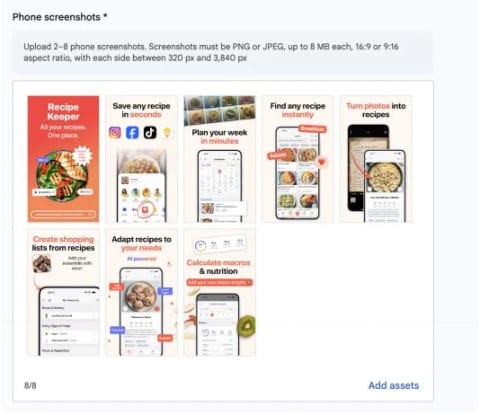
Three builders now make store images. Rork's Screenshot Studio, in free beta, outputs iPhone images at 1284 × 2778, a size App Store Connect still accepts. Replit turns real screenshots into marketing images that you upload yourself. FlutterFlow's AI builder makes 1206 × 2622 images, fits copies for Google Play with a feature graphic and sends them to both stores. That gets a first listing submitted. The gaps show up later:
- iPad. If your build supports iPad, App Store Connect won't accept the version without a 13-inch iPad set.
- Google Play. Rork's Play images are a separate job, Replit doesn't publish to Play, and with Bolt, Bubble, Base44 or Lovable the 1024 × 500 feature graphic is yours to make.
- Other languages. A translated caption that runs to three lines on the iPhone size needs a different layout, not just new text. The localized screenshots guide shows how to capture each language.
- The next release. If a tool only gives you finished PNGs, one changed screen means rebuilding the set. Our guide to updating screenshots without a new build covers changes after launch.
- The other store's look. Guideline 2.3.10 bars names, icons or imagery of other mobile platforms in your metadata, so an Android frame made for Google Play doesn't belong in your App Store set.
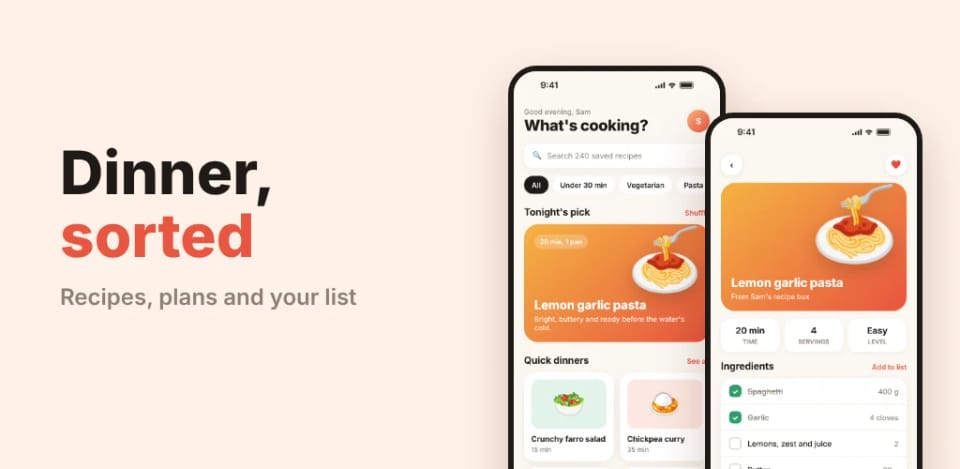
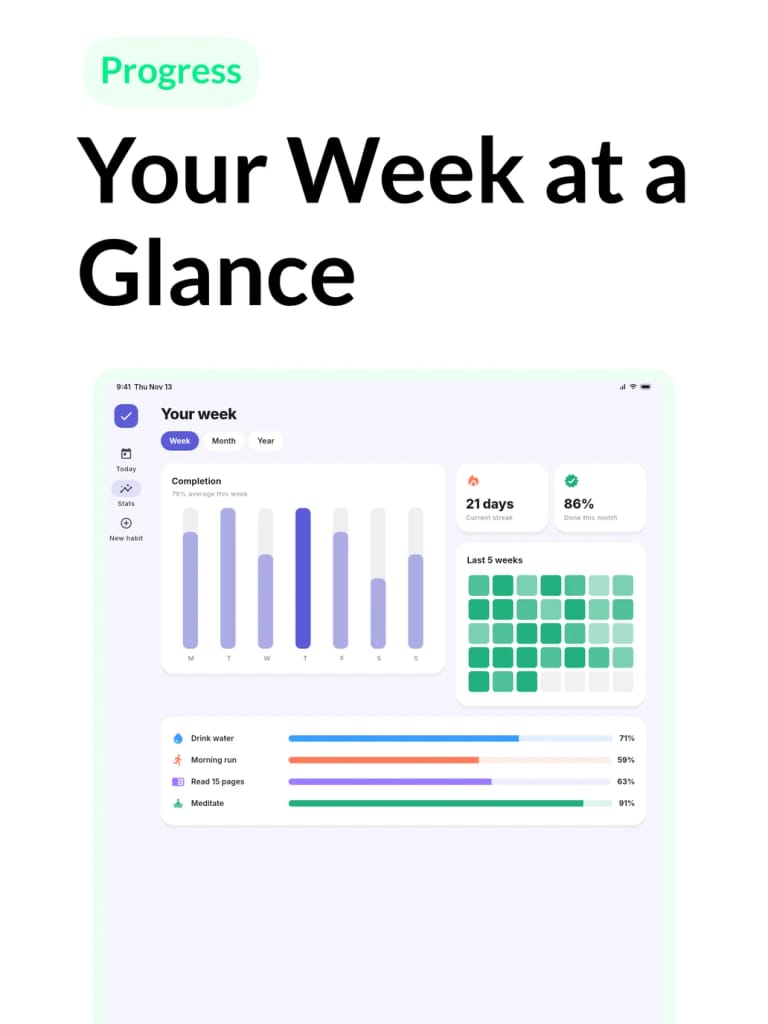
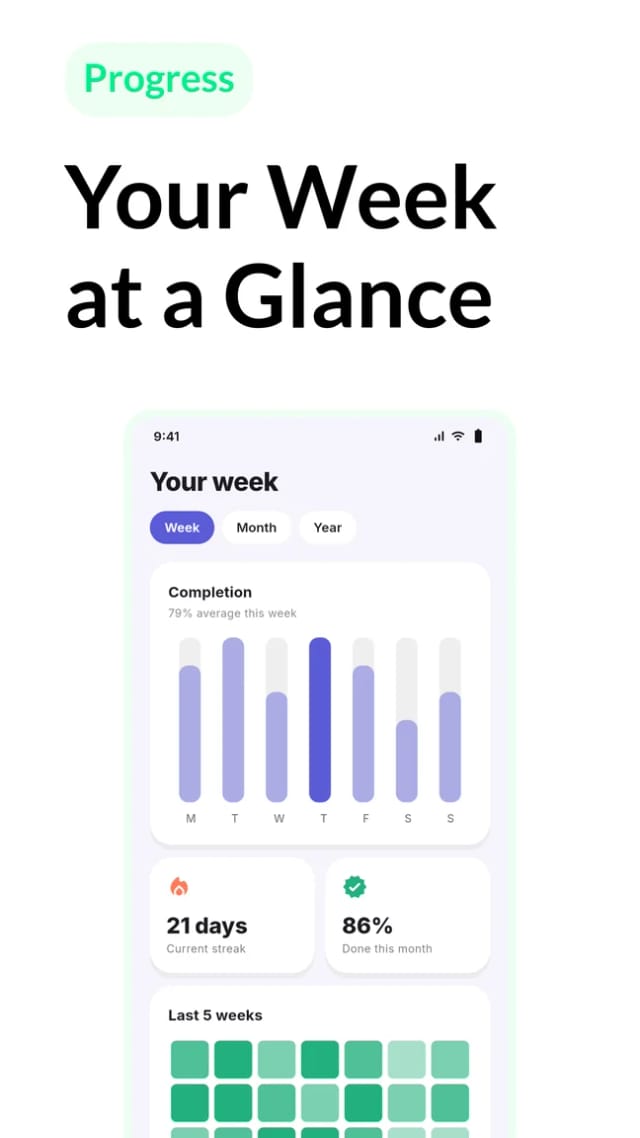
Whichever tool you use, start from real captures of the app. Apple's guideline 2.3.3 expects screenshots to show the app in use, and allows captions and image overlays on top:
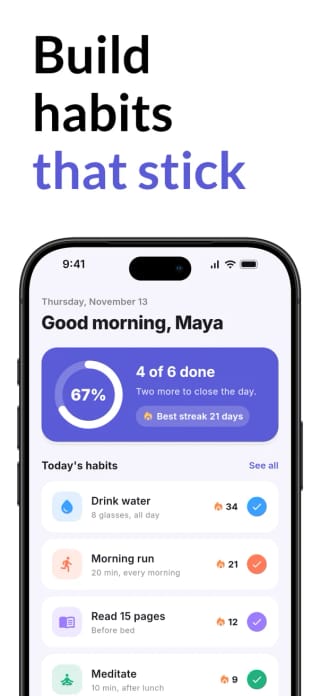
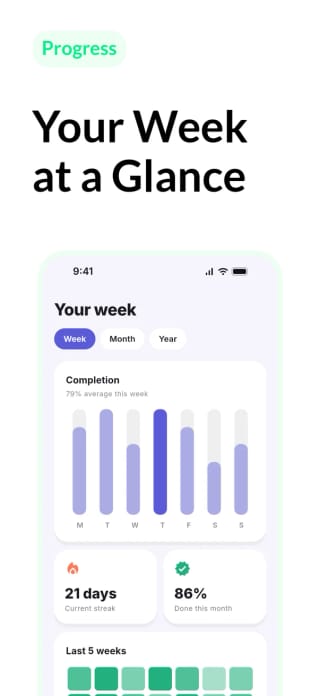
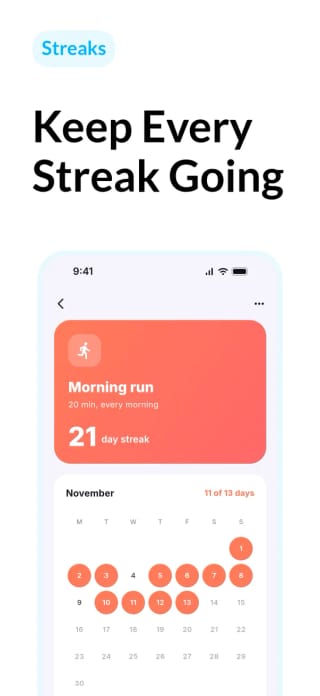
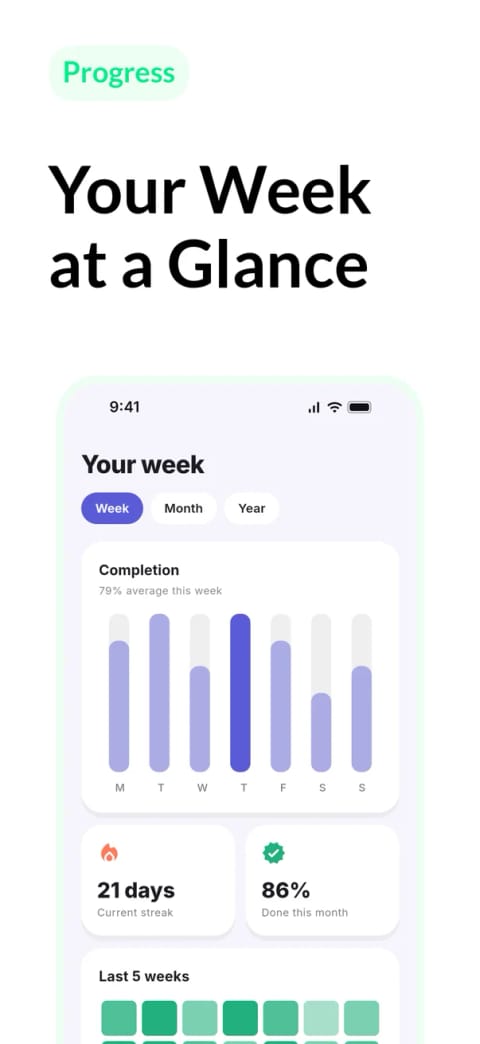
Plain captures and the sets these builders generate can be submitted if they meet the current requirements and show the app accurately; Apple and Google decide approval. Treat a generated set as the baseline to test against, not the finished listing. When Rovio tested combinations of screenshots, captions, icon and orientation for Angry Birds 2, SplitMetrics reports that the best one lifted conversion by 13%, an estimated 2.5 million extra installs in the first week after release. The download math in our ASO guide shows what a lift means at your scale: at 10,000 monthly downloads, a hypothetical 15% lift would be 1,500 extra installs from the same visitors.
AppScreens closes those gaps from one editable project, whichever builder you used. Find your app with AI onboarding, pick a ready-to-go template or start from scratch, upload your real captures, edit the captions, then export the iPhone, iPad and Google Play sizes. A new language (on a paid plan) or the next release is an edit to the same project, not a rebuilt set. On the free plan you upload the files to App Store Connect or Play Console yourself. If your builder's agent can connect to an MCP server, it can do the same work in the same session, as the next section shows.
Finish the listing with the agent you built the app with
Replit Agent, Lovable, Bolt and Base44 (on the Builder plan or higher) can all connect to a remote MCP server by URL and sign in with OAuth, so the agent that wrote your app can also make its screenshots. Add the AppScreens MCP server (AppScreens publishes this guide) as a custom MCP server at https://api.appscreens.com/mcp, sign in, then ask:
Help me make App Store and Google Play screenshots for my app with AppScreens. Ask me what you need.Each builder documents its own setup. We haven't run AppScreens inside each builder yet, so here is what their documentation says:
- Replit Agent: add a personal MCP server by URL under Settings, Integrations. Test & save runs the server's OAuth sign-in, and the agent can then use its tools in all your projects, asking first for tools that need confirmation.
- Bolt: add a custom MCP server under Settings, Connectors, and choose MCP OAuth to sign in. Bolt calls its tools while you chat, and you switch each connector on per project.
- Base44: custom MCP needs the Builder plan or higher. Add the URL with OAuth; the AI calls the tools from the editor chat, with up to 20 servers per account.
- Lovable: custom MCP servers work on all plans, with OAuth as the default sign-in. Lovable's docs describe the chat reading a server as live context, so check that it can run AppScreens' create and upload steps before you count on it.
The agent asks which stores, devices and languages you need, builds the set from your app captures and shows you a preview. The free plan covers one project of up to five screenshots, with smaller previews, exported from the editor in your browser. On a paid plan the agent exports the set and uploads it to App Store Connect and the Google Play main listing after you approve the upload preview, so you skip downloading the files and adding them size by size in each store. If you downloaded the code, Claude Code, Codex and Cursor work the same way from the project folder; the connect page has the setup for each. The screenshot prompts guide lists a one-line prompt for each step.
Turn your captures into a store-ready set
Whichever builder you used, start free with one project of up to five screenshots and upload the files yourself, which is enough for many first releases. Upgrade when speed matters: translations, direct uploads to App Store Connect and the Google Play main listing, and exports straight from your agent.
FAQ
Can I publish a Lovable app to the App Store?
Not from Lovable itself. Lovable publishes to a web URL and has no built-in flow for the App Store or Google Play. A progressive web app installs from the browser but gets no store listing, so the store route is a native shell built with Capacitor outside Lovable, which you submit yourself. The app then has to go beyond a repackaged website under guideline 4.2, so add native features such as push notifications or offline use first.
Can I submit my web app's URL to the App Store?
No. App Store Connect and Play Console take a signed build, an IPA for iOS and an AAB for Google Play, not a link. A web app needs a native wrapper such as Capacitor, built in Xcode or a cloud build service, and under guideline 4.2 it has to do more than show the website. Base44 generates both files on the Builder plan or higher.
Can I publish a Replit app to the App Store and Google Play?
The App Store, yes. Replit builds an Expo app on Expo's servers and uploads it to App Store Connect, where you finish the listing. Google Play is not supported by Replit yet.
Can I publish a Base44 app to the App Store?
Yes, on the Builder plan or higher. Base44 generates an IPA and an AAB that wrap your published web app in a web view. You submit them yourself and supply the screenshots, and under guideline 4.2 the app has to go beyond a repackaged website.
Can I publish a Bubble app to the App Store?
Yes, on a Mobile or Web + Mobile plan. Bubble builds a React Native app, which can take up to 45 minutes, and uploads it to App Store Connect, where you submit it for review. On Google Play you upload the first AAB yourself and Bubble uploads later builds. You prepare the screenshots and the rest of the listing.
Can I publish a Rork app to the App Store?
Yes, and without a Mac. New Rork projects are native Swift and Kotlin, built on Rork's machines and uploaded to App Store Connect, where you submit them for review. Android builds go to internal testing, and you create the first Google Play listing yourself.
Do I need a Mac to publish an app?
Not with Replit, Rork, FlutterFlow or Bubble, which build and upload in the cloud, or with Expo's cloud builds and EAS Submit. A Lovable app wrapped with Capacitor needs Xcode on a Mac or a cloud build service for the iOS build. You still need an Apple Developer Program membership, and you can take screenshots on an iPhone.
Can you publish an AI-generated app to the App Store?
Yes. No guideline rejects an app for being built with AI. Reviewers check the app itself: whether it works and has a demo login (2.1), does more than a website (4.2), is submitted by the owner of its content rather than an app generation service (4.2.6), is more than one more copy in a crowded category (4.3), offers account deletion (5.1.1(v)) and asks permission before sharing personal data with third-party AI (5.1.2(i)).
How long does App Store review take?
Apple says it typically reviews at least 50% of submissions in less than 24 hours and 90% in less than 48 hours, and emails you when the status changes. A rejection adds another round after you fix and resubmit. On Google Play, a new personal account first needs a 14-day closed test with at least 12 testers.
Can I sell an app created by AI?
Yes. Apple does not ask how an app was built. To charge for the app or sell inside it, accept the Paid Apps Agreement in App Store Connect. Subscriptions, credits and premium features sold in the app use In-App Purchase (3.1.1); your own checkout, such as Stripe, fits physical goods and services used outside the app (3.1.3(e)). You also need the rights to everything the app contains (5.2).
Can I publish an app on the App Store for free?
Usually not. Publishing on the App Store needs the Apple Developer Program at $99 a year. A free Apple Account lets you run apps you build in Xcode on your own devices, but not distribute them on the App Store.
Do I need user consent for AI features in my app?
Yes, if the app sends personal data to a third-party AI service. Apple guideline 5.1.2(i) requires you to disclose where personal data is shared, including with third-party AI, and get explicit permission before doing so. Show the disclosure before the first request.
What do I need to submit an app to the App Store?
An Apple Developer Program membership, a build that does more than a repackaged website, a privacy policy, a support URL and App Privacy details, a demo login in the review notes if the app has sign-in, in-app account deletion if users can sign up, consent before sending personal data to third-party AI, the age rating questionnaire, the encryption question, EU trader status and 1 to 10 iPhone screenshots that show the app in use.
What screenshots does an AI-built app need?
1 to 10 iPhone screenshots at 1206 x 2622 or 1179 x 2556 for the required slot, a 13-inch iPad set at 2064 x 2752 if the app runs on iPad, and from April 2027 iPhone Duo screenshots for apps built with the iOS 27.1 SDK or later. Google Play needs at least 2 screenshots no more than twice as long as they are wide, plus a 1024 x 500 feature graphic, and at least four 9:16 screenshots of 1080 x 1920 or larger to be eligible for recommendation formats. All of them must show the app in use.
How do I make App Store screenshots for an AI-built app?
Start from real captures of the app in use. AppScreens turns them into an editable App Store and Google Play set: find your app with AI onboarding, choose a template or start from scratch, upload the captures, edit the captions and export the store sizes. Use it in the browser, or add https://api.appscreens.com/mcp as a custom MCP server in Replit Agent, Bolt or Base44 (Builder plan or higher). You can also submit the screenshots your builder makes if they meet the store requirements and show the app in use; the store decides approval, so treat them as a baseline to test against. The free plan covers one project of up to five screenshots; paid plans add translation, agent exports and store uploads.
Why does my new Google Play account need 12 testers?
Google requires personal developer accounts created after 13 November 2023 to run a closed test with at least 12 testers opted in for the preceding 14 days before they can apply for production access. Internal testing does not count.
Sources
- Apple: App Review Guidelines (1.5, 2.1, 2.3.3, 2.3.10, 3.1.1, 3.1.3, 4.2, 4.2.6, 4.3, 4.8, 5.1.1, 5.1.2)
- Apple: App Review (review times), Submitting (SDK requirements) and screenshot specifications
- Google Play: Add preview assets to showcase your app
- Apple Developer Program, App Privacy details and age ratings
- Apple: Complying with encryption export regulations and EU trader requirements
- Google Play: content ratings, sign-in details and account deletion
- Google Play: testing requirements for new personal accounts, Data safety and target API level
- Replit: mobile apps, App Store upload, store screenshots and MCP
- Bolt: Expo and MCP
- Rork: publish to the App Store, Android and Screenshot Studio
- FlutterFlow: App Store deployment, pricing and AI builder console setup
- Bubble: native mobile apps, including the iOS and Google Play publishing guides
- Base44: uploading to app stores and custom MCP
- Lovable: publish and custom MCP
- Glide: publishing to an app store
- SplitMetrics: Rovio Angry Birds 2 screenshot testing case study
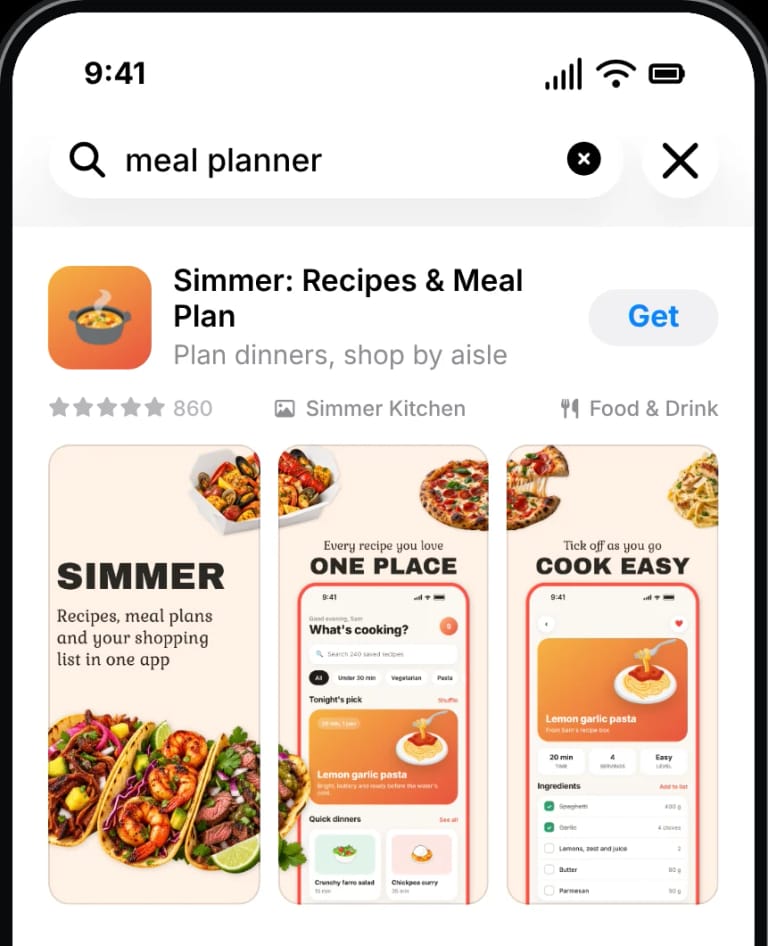
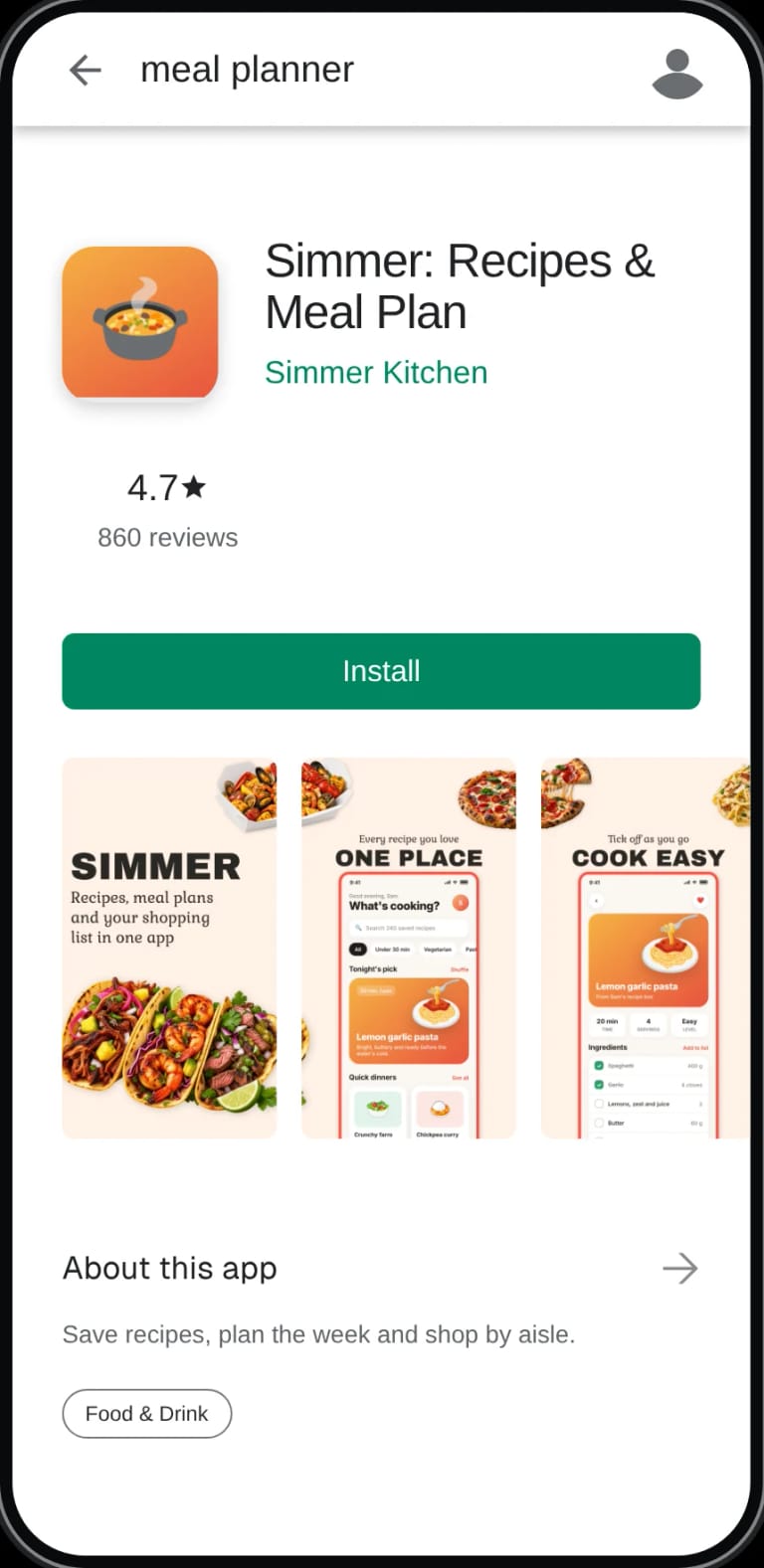
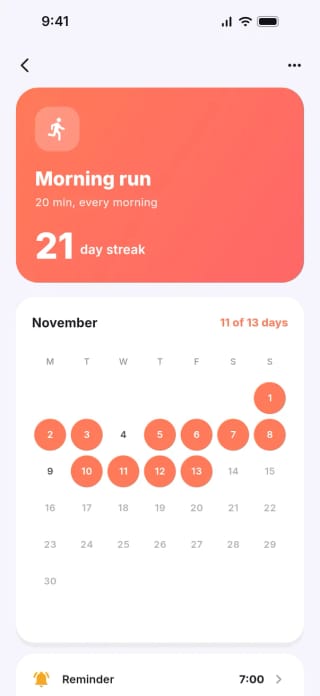
Simmer and Steady are demo apps we built for our Capacitor and Flutter guides.
Quote sections, tables and checklists from this guide in your own posts, documentation or answers with a link to this page. Please do not republish the whole guide.
AppScreens.com, "Publish an AI-Built App to the App Store: What You Need Before You Submit", 30 October 2026. https://appscreens.com/blog/publish-ai-built-app-app-store