
 Codex
 AppScreens
Connect AppScreens to Codex and give it one brief plus your app captures. AI handles ideas, design, caption fitting, store sizes, translation and previews, then exports and uploads after approval.
Everything stays in one editable AppScreens project. Change a headline or replace a French app capture without rebuilding every size. You don't need to learn a design tool or look up screenshot dimensions. The copyable prompts below are examples adapted from our AppScreens MCP demonstrations.
Start here · One-time setupConnect AppScreens to CodexGive your AI the tools to create, preview, export and upload your screenshots.Show connection steps ↓Hide connection steps ↑
Open your app project in the ChatGPT desktop app. Follow the Codex Desktop steps to connect from Plugins, or select Codex CLI for terminal setup.
Choose your client
Server URL
https://api.appscreens.com/mcpConnect Codex Desktop
- 1In the ChatGPT desktop app, open Plugins, select the MCPs tab, then choose Add. If your version shows MCP servers under Settings, choose Add server there.
- 2Choose Streamable HTTP, name the server AppScreens and paste the server URL.
- 3Leave the bearer token and header fields empty. Save, then choose Authenticate or Connect if sign-in does not start automatically.
- 4Sign in to AppScreens in your browser and approve access. Return to Codex and start a new chat.
Check the connection
In the new Codex chat, type /mcp to check that AppScreens is connected, then send the first prompt.
Check my AppScreens connection: show my account capabilities and usage, then list my projects. Don’t change anything yet.
Localization, cloud exports and direct store uploads require a paid AppScreens plan. Connect your store app before uploading. Read the connection guide.
1. "I need to create screenshots for my app"
Open your app folder or share your app captures and icon with Codex. Have a direction in mind, or need AI to come up with one? Either way, start with one brief:
You ask
I need to create App Store and Google Play screenshots for my basketball app. Use NBA: Live Games & Scores as inspiration and my app captures. Come up with the design and captions, make the iPhone, Duo and Android sizes, and add French and German versions. Show me how they look in the stores.
Codex + AppScreens
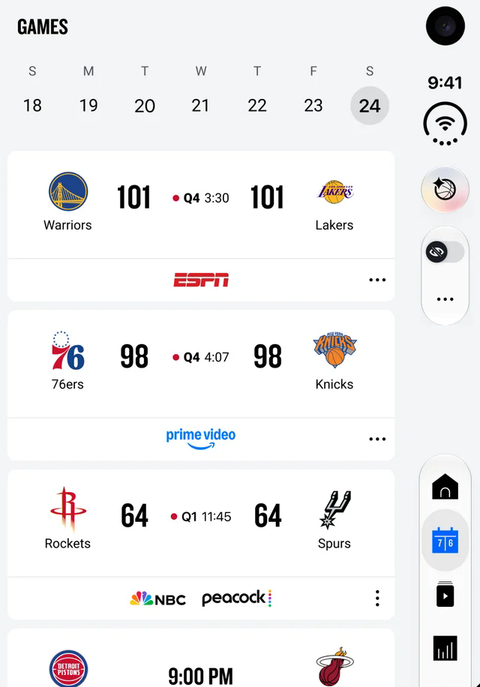
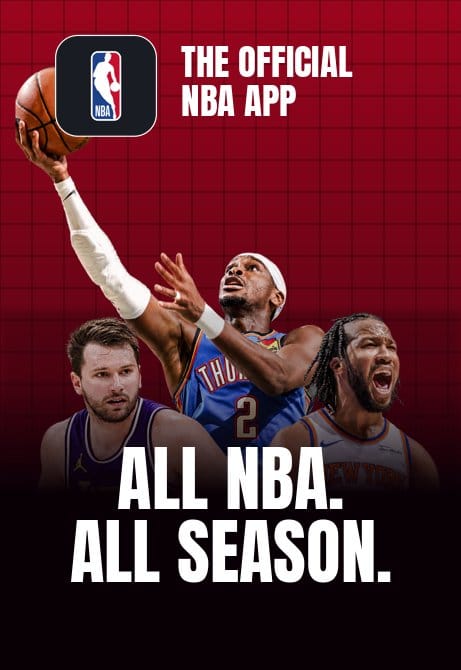
AI uses your reference for the visual direction and your captures to show the actual app. It writes the captions, builds the editable design and prepares the sizes and languages you asked for. Here is the input-to-output example:
You share: inspiration
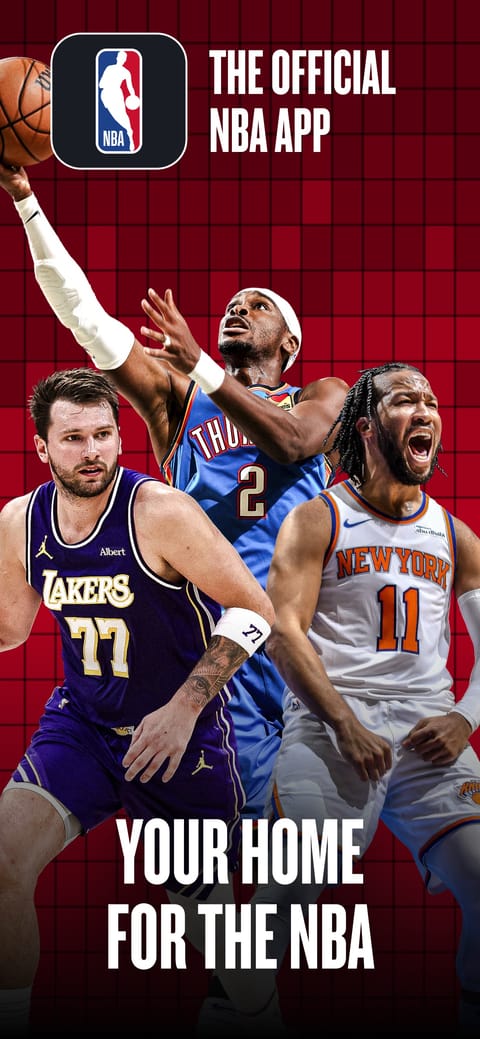
You share: app screens
AI creates: your new design
You get the screenshot previews and a link to the editable AppScreens project. You can give AI a reference, ask it to find ideas, or start from an AppScreens template.
AppScreens supports 80+ localizations, with text fitting and per-language app captures. Tell AI your target markets in the brief; it can prepare them from the same design. See screenshot localization.
From a reference screenshot to an editable AI design
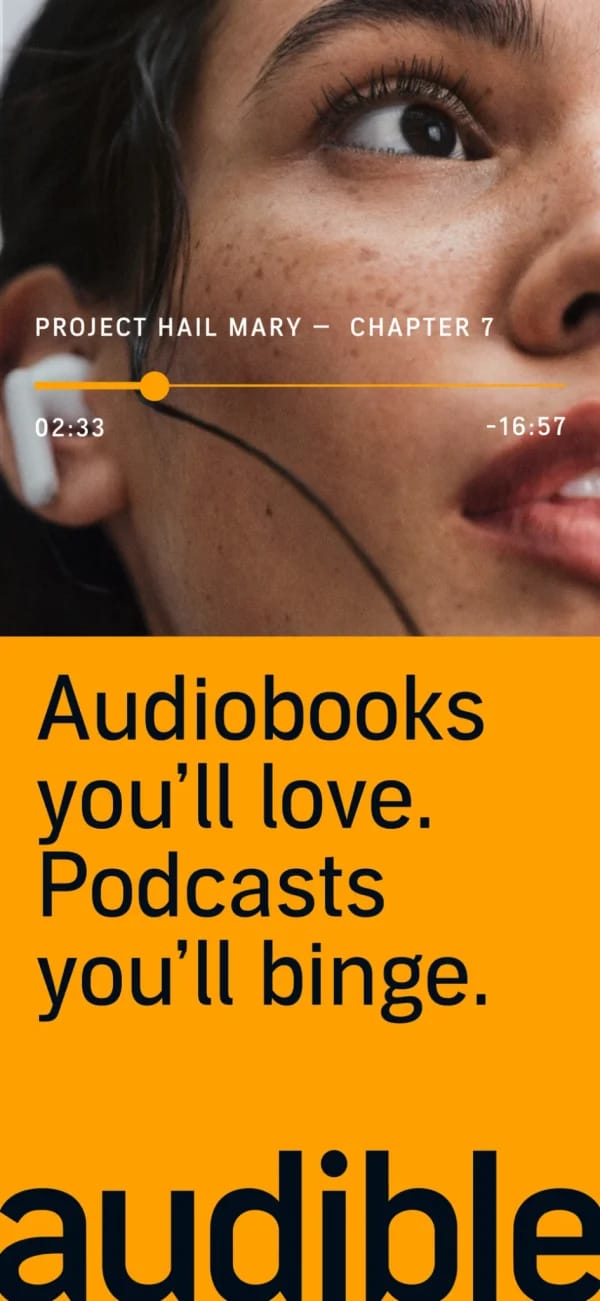
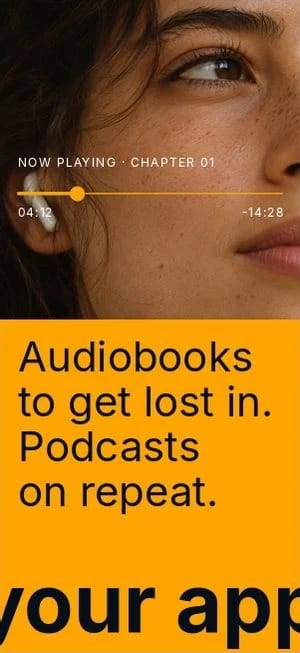
Codex used Audible’s App Store screenshot as a reference and recreated the layout in AppScreens with editable text and artwork. Below, the original is on the left and the AI-created demo draft is on the right. The same project became a ten-page screenshot set.
Original reference
Created with AI
Want a fuller prompt for your own app? Build it here, then paste it into Codex.
2. Want a change? Just say it
Look at the store previews. If you want a different headline, colour or image, ask in the same chat. Let's follow the NBA example through the remaining steps. The next request was a red panoramic background and details pulled out from the app screens:
You ask
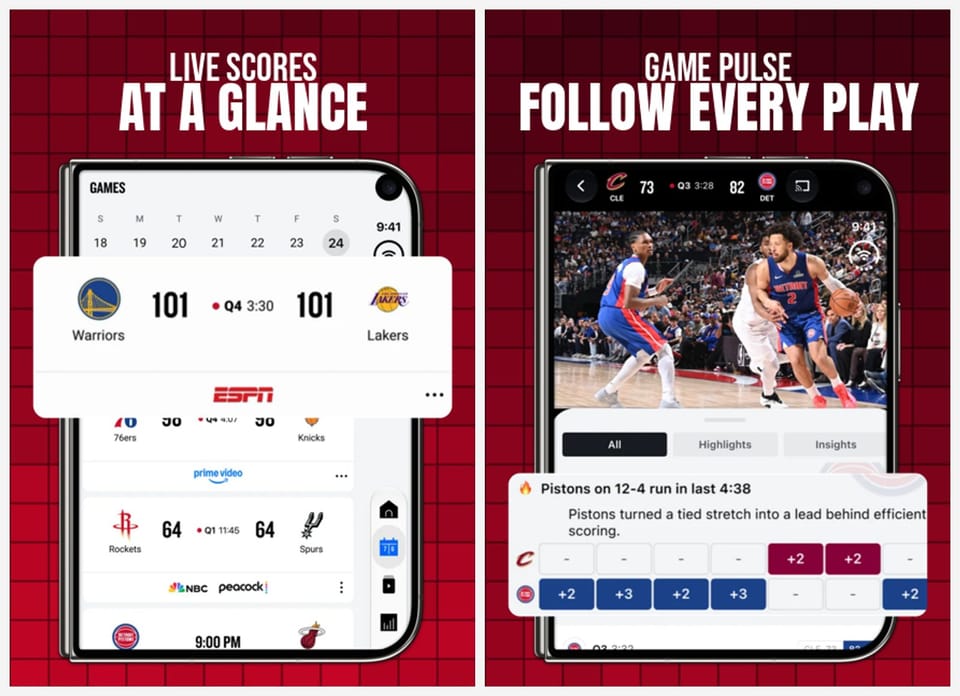
Can you add a panoramic background with light and dark red tiles, and pull-out features on each device where they help show the app?
Codex + AppScreens
AI updates the design and shows the result. Here, the red background continues across the set, while enlarged scores and game details draw attention to the features.
Already happy with the first version? Move straight to the next step. The project stays editable, so future caption or capture changes can be applied to the selected sizes and languages without rebuilding them.
Compare a type change at screenshot size
In another Codex session, the agent used Uber Eats as inspiration for the MegaEats demo. A follow-up asked for a heavier typeface. The agent changed the display font in the editable project, then rendered the updated screenshots to check the fit.

3. "Now create my feature graphic and creative asset"
Keep going in the same conversation. AI already has the visual direction:
You ask
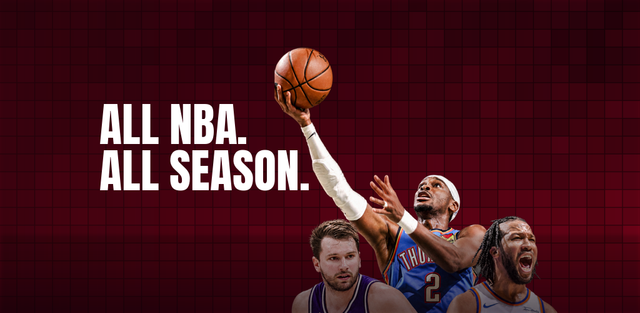
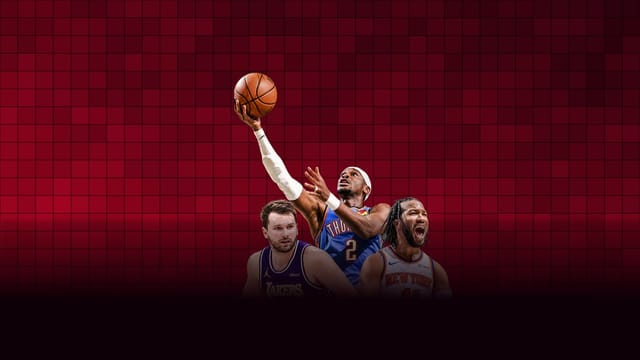
Now create a matching Google Play feature graphic and Apple Universal Creative Asset. Show me both in the store previews with my screenshots.
Codex + AppScreens
AI carries the colours, imagery and message into the other store assets. Our NBA-inspired project produced these two matching designs:
See the whole listing before you upload
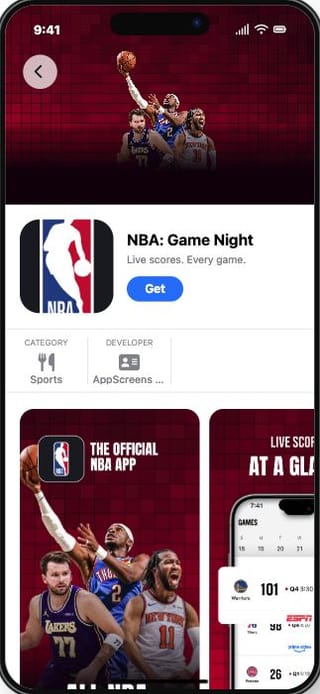
The screenshots and artwork come together in the AppScreens listing preview. These are actual previews using the exported NBA demo assets:
App Store product page
Google Play search
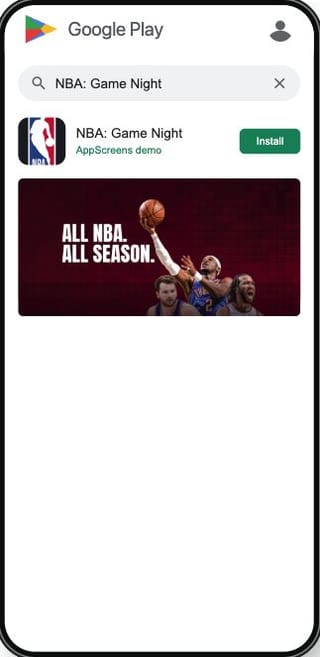
Google Play listing
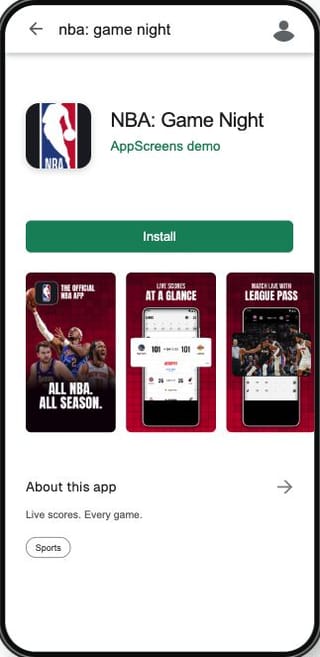
Preview images from the AppScreens tool, not published NBA listings. Check that the opening screenshots explain the app and that captions and artwork remain readable at this size.
4. "Looks good. Export and upload it"
Once you like the previews, tell Codex where the assets should go:
You ask
Looks good! Can you export these and upload them to my app's main App Store and Google Play listings?
Codex + AppScreens
AI prepares the files and shows the connected app, languages and listing it will update. Confirm that destination, then AppScreens handles the store upload and returns the result. You also get the exported files. App review and publication happen in the store console.
Recorded demo result · US English
26 screenshots. 2 matching assets. 4 completed uploads.
Export archives created. All four store uploads completed on 8 November 2026.
- ✓ Apple screenshots uploaded
- 9 iPhone + 9 Duo screenshots delivered to an Apple Custom Product Page.
- ✓ Android screenshots uploaded
- 8 screenshots delivered to the Google Play main listing.
- ✓ Google Play feature graphic uploaded
- 1024 × 500 artwork delivered to the main listing.
- ✓ Apple creative asset uploaded
- 5244 × 2950 artwork delivered as the main iOS listing's product page header.
These are the destinations used in the recorded demonstration. Your request can target your main listing or a selected test page. Uploading assets does not publish the app.
Your app is next. Connect AppScreens, copy the brief and add your captures.
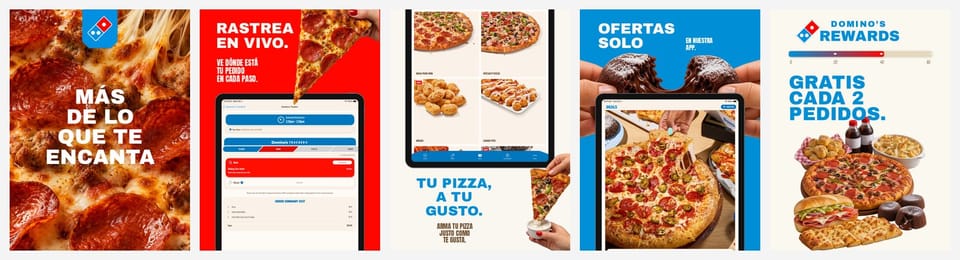
Another example: a Domino's screenshot set
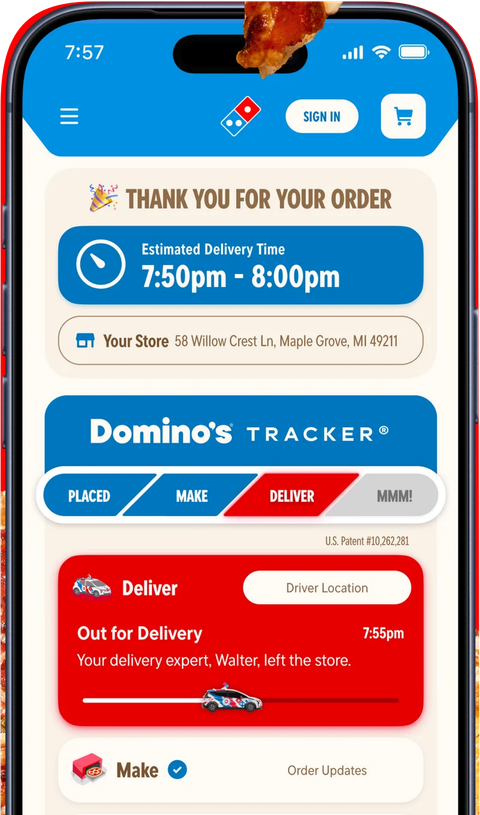
The same approach works for a completely different look. This demonstration combines app captures with generated food artwork, editable captions and device layouts:
Input: an app capture
Output: five designed screenshots
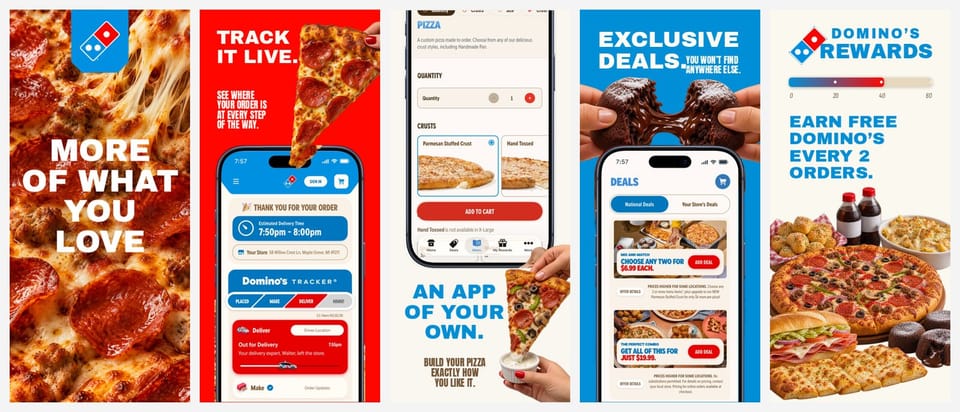
Then: "Make an iPad version and translate the captions into Spanish"
Why not just ask Codex for PNGs?
Codex can draw an image on its own. With AppScreens it finishes the whole job in one editable project:
- Editable layers, not flat images. Ask for a new font, caption or capture, or open the visual editor and change it yourself.
- Every required size, without the research. App Store and Google Play sizes that match Apple's and Google's specifications, from one responsive design.
- Every language in the same project. 80+ languages, with text fitted to each size and right-to-left support.
- The whole listing. Screenshots for iPhone, iPad and Android, a matching feature graphic and Apple creative assets, store previews, then upload after you approve.
- Ready for the next release. Saved versions to return to. Replace a capture or add a language, then regenerate every size.
Spend your time on what makes people download
OLBG reported 61% higher conversion after optimizing its screenshots. ZiMAD reported 36% higher conversion after adapting screenshots for Japan. See the screenshot testing guide and localization case studies for those individual results.
AppScreens saves the design work for your next release too. Ask Codex to change a caption, swap a capture or make a test variant. One editable project keeps that from becoming repeated edits across every size and language.
FAQ
Can I use the ChatGPT desktop app for this workflow?
Yes. Open Plugins → MCPs to add AppScreens, then sign in through your browser and start a Codex chat. The guide also includes Codex CLI setup.
Do Codex CLI and the desktop app need separate MCP setup?
OpenAI documents shared MCP configuration for the ChatGPT desktop app, Codex CLI and IDE extension on the same Codex host. Use the setup route that fits your installed client.
Do I need to be a designer to create the screenshots?
You can start with an AppScreens template and a brief describing the main benefit. Codex helps with the captions and edits, while AppScreens provides editable layouts, text fitting and selected store outputs. You choose the final design from its previews.
Can Codex prepare both App Store and Google Play screenshots?
With the required AppScreens capabilities enabled, it can prepare selected iPhone, iPad, Android phone and tablet outputs from the project. Supply the matching app captures and preview the chosen devices and languages before export.
Does uploading screenshots publish my app?
Screenshot delivery sends the approved assets to the chosen store destination. App review and publication remain in the store console workflow.
 Claude Code
 Cursor