
AppScreens-authored product comparison
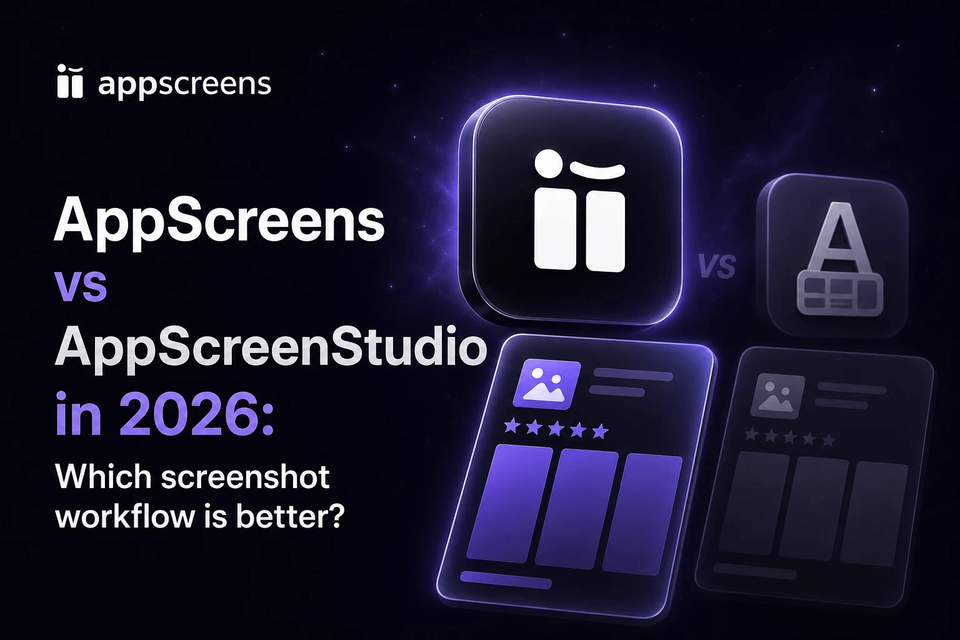
AppScreens vs AppScreenStudio: Which App Store Screenshot Generator Is Better in 2026?
AppScreens is the better App Store screenshot generator for developers, founders, marketers, and teams that want the fastest path from real app screens to store-ready assets. Use AI onboarding to find your app and metadata, generate or edit captions, choose from 150+ template sets or start from scratch, upload screenshots, preview every size and language, then export or upload.
AppScreenStudio offers a free visual editor, templates, multi-size exports, AI-generated assets, and translation. AppScreens covers the larger job: a fast first screenshot set plus responsive projects, 80+ language localization including RTL, per-language overrides, ASO Review, CPP and PPO variants, Google Play experiments, and direct App Store Connect and Google Play uploads.
Trusted by 150,000+ app professionals with 12M+ screenshots exported, AppScreens is free to start and built to stay useful after the first launch.
Quick Take
Choose AppScreens. It is faster for a one-off screenshot set and stronger when the work expands into devices, languages, variants, uploads, and future updates.
Start with AI onboarding and app metadata, generate or edit captions, choose a ready-to-go template or start from scratch, add real app screens, customize the design, preview every output, then export or upload.
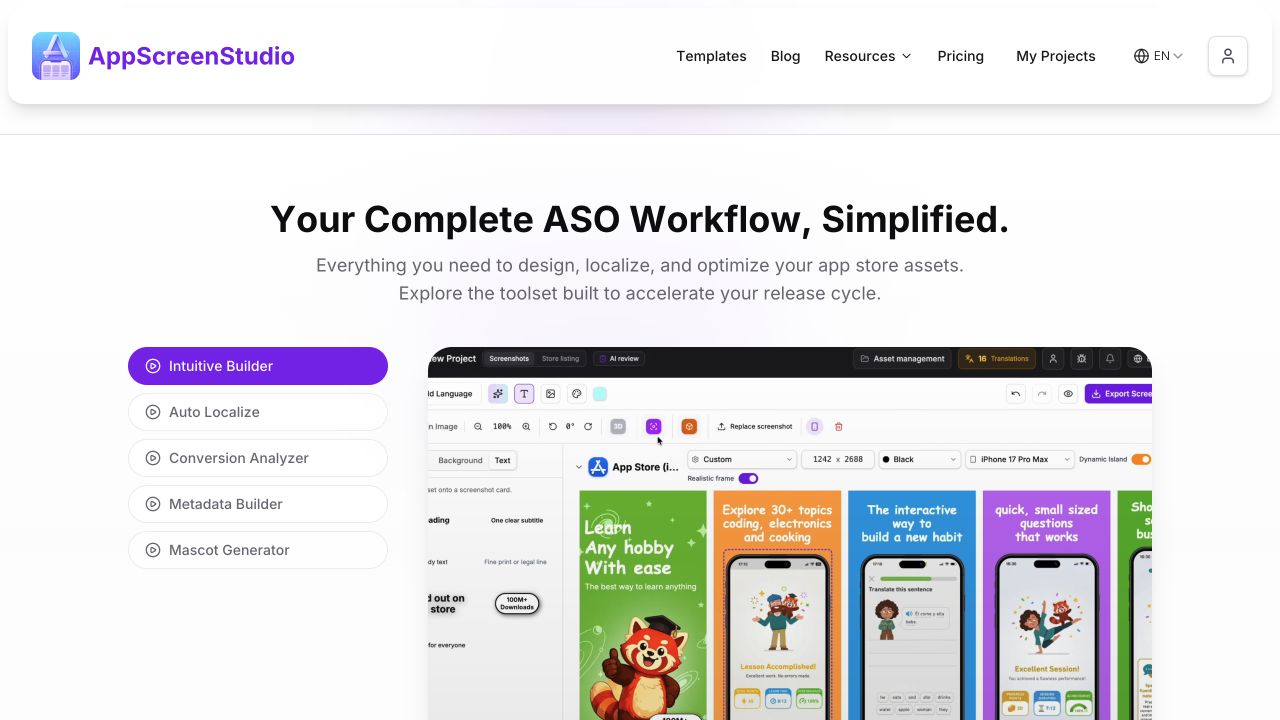
AppScreenStudio promotes a free visual editor, multi-size exports, AI-generated assets, and 35+ languages. AppScreens adds the complete store workflow: 150+ template sets, 80+ languages with RTL, automatic text fitting, per-language asset overrides, ASO Review, CPP and PPO variants, Google Play experiment assets, and direct store uploads.
Best for: anyone who wants polished first-release screenshots quickly, plus teams that need one editable project for repeated store work.
Last verified 13 August 2026 using the current AppScreens product, AppScreenStudio's public product demos and homepage, and its public AppScreens comparison.
AppScreens vs AppScreenStudio: feature comparison
Both products advertise visual screenshot creation. The larger difference is how much of the work before and after the canvas stays connected.
| Decision point | AppScreens | AppScreenStudio |
|---|---|---|
| Fast first screenshot set | AppScreens advantage: AI onboarding, app metadata, captions, templates or a blank canvas, previews, exports, and optional uploads in one path | Upload screenshots, choose a template or editor project, customize, then use multi-size export |
| Starting point | 150+ template sets, 500+ editable layouts, or a blank canvas with app context already available | Templates or an editor project |
| Visual editing | Direct canvas editing, alignment guides, layers, and optional Exact Dimensions | Drag-and-drop visual canvas |
| Responsive App Store and Google Play outputs | AppScreens advantage: one editable project across device sizes, stores, languages, and future changes | One-click multi-size export is advertised |
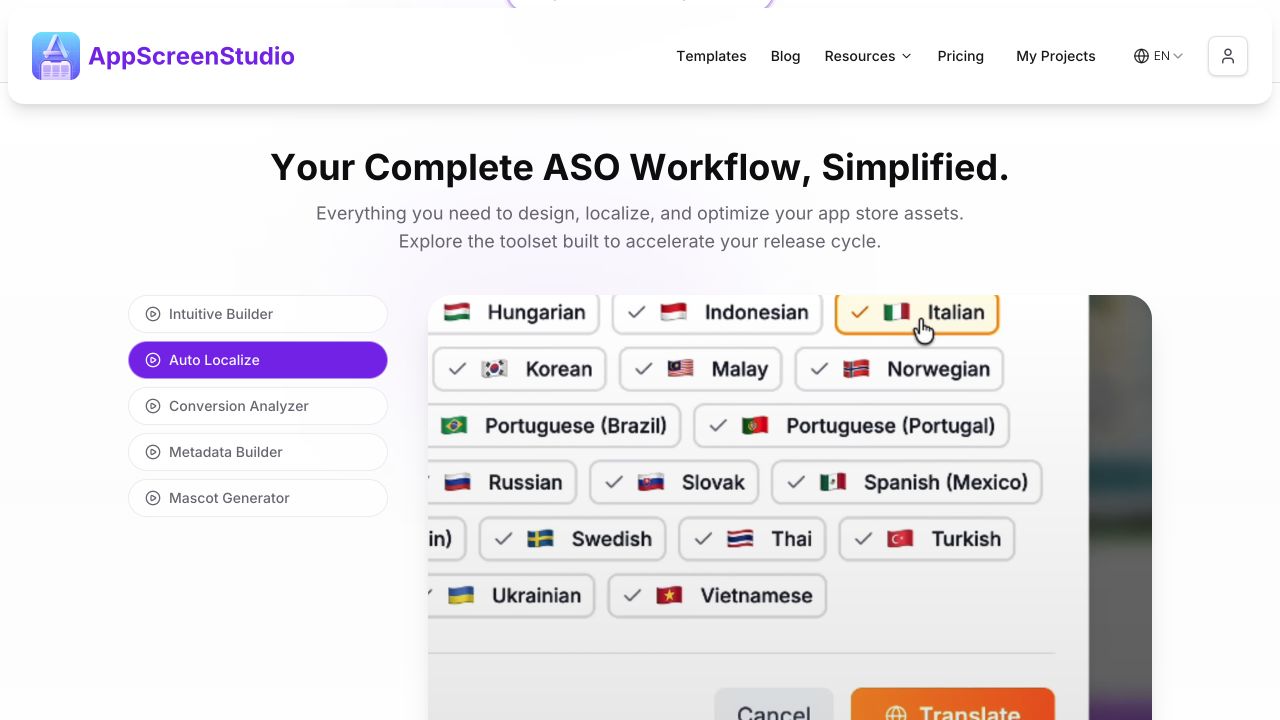
| Localization depth | AppScreens advantage: 80+ languages, RTL, text fitting, and per-language captions, screenshots, images, fonts, and spacing | 35+ languages claimed on its AppScreens comparison page |
| AI assistance | AI onboarding, captions, guidance, translation, project restyling, and ASO Review | AI screenshot elevation, translation, mascots, backgrounds, and generated assets |
| ASO testing and variants | AppScreens advantage: listing previews, ASO Review, CPP, PPO, and Google Play experiment workflows | Conversion analyzer and metadata builder are advertised |
| Publicly documented direct store upload | AppScreens advantage: App Store Connect and Google Play upload workflows | Not documented on the public pages reviewed |
| Future release reuse | AppScreens advantage: keep the responsive project editable for captions, releases, markets, variants, and uploads | Editor projects are advertised; the public comparison does not document the same connected release workflow |
| Free starting point | One project, AI mode, and up to 5 exported screenshots with no credit card, enough for many first releases | Core editor advertised as free; its homepage states that free exports have a daily limit and lists up to 2 projects |
| Public usage proof | 150,000+ app professionals and 12M+ screenshots exported | Its homepage showed 6,700+ developers and 7,000+ projects, while another section stated 9,600+ workflows |
Which App Store screenshot generator should you choose?
Choose AppScreens when you want the fastest path from real app screens to polished, store-ready screenshots. AppScreens combines AI onboarding, templates or from-scratch design, AI captions, responsive sizes, 80+ language localization, ASO variants, direct uploads, and one editable project for future releases.
Choose AppScreenStudio only when its free core editor, AI screenshot elevation, generated mascots, or conversion analyzer is the specific priority and you are prepared to manage the remaining release workflow separately.
Raw screenshots show the interface, but polished screenshots explain the benefit, create visual hierarchy, localize the pitch, and give visitors a clearer reason to install. Screenshot updates are cited around +6% downloads on iOS and +9% on Google Play. See the ASO testing evidence and use the ASO screenshot workflow to create variants worth testing.
AppScreens is free to start with one project. Free users can use AI mode, choose a template or start from scratch, export up to 5 screenshots, and manually upload them to App Store Connect or Google Play. About 60% of AppScreens exports happen in free mode. Upgrade when speed matters across more screenshots, projects, direct uploads, localizations, variants, team workflows, or client work. See AppScreens pricing.
Where AppScreens covers more of the release workflow
AppScreens starts closer to the finish line than a generic editor or isolated mockup tool:
- Select your app: Pull in app details and metadata with AI onboarding.
- Generate or edit captions: Draft benefit-led captions, then adjust anything.
- Choose a template or start from scratch: Start fast or take full creative control.
- Upload screenshots and customize: Edit devices, text, images, colors, and layout.
- Preview sizes and languages: Check every required device and localized version.
- Export or upload: Download store-ready files or upload directly to Apple and Google.
Start with App Store screenshot templates, then keep the same project ready for future releases, localization, ASO variants, campaigns, and store updates.
Visual control without making drag-and-drop the whole product
AppScreens supports direct canvas editing. Move, resize, rotate, layer, copy, and align elements visually, or use Exact Dimensions when numerical precision matters. The editor supports templates and blank-canvas projects, while the design stays connected to device outputs, localization, previews, variants, exports, and uploads.
One responsive project instead of isolated output files
AppScreens is designed around one project that adapts across App Store and Google Play targets. Caption, layout, screenshot, or brand changes remain editable instead of becoming disconnected exports that must be fixed one size at a time.
Localization is a connected production workflow
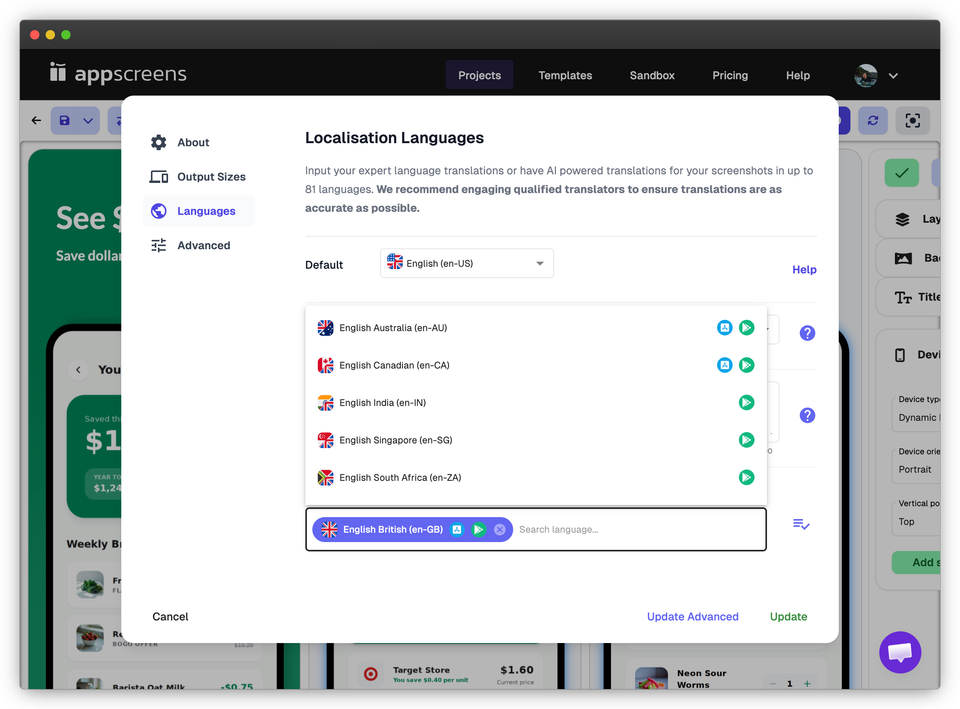
AppScreens supports translation and localization across 80+ languages, responsive text fitting, RTL layouts, per-language captions, fonts, screenshots, images, and spacing, organized locale exports, and direct localized upload workflows.
AI tools are already part of AppScreens
AppScreens includes AI-assisted onboarding, caption drafting, translation, project restyling, guidance, and ASO Review. These tools start with app context while keeping the final wording and design editable.
The workflow reaches the stores
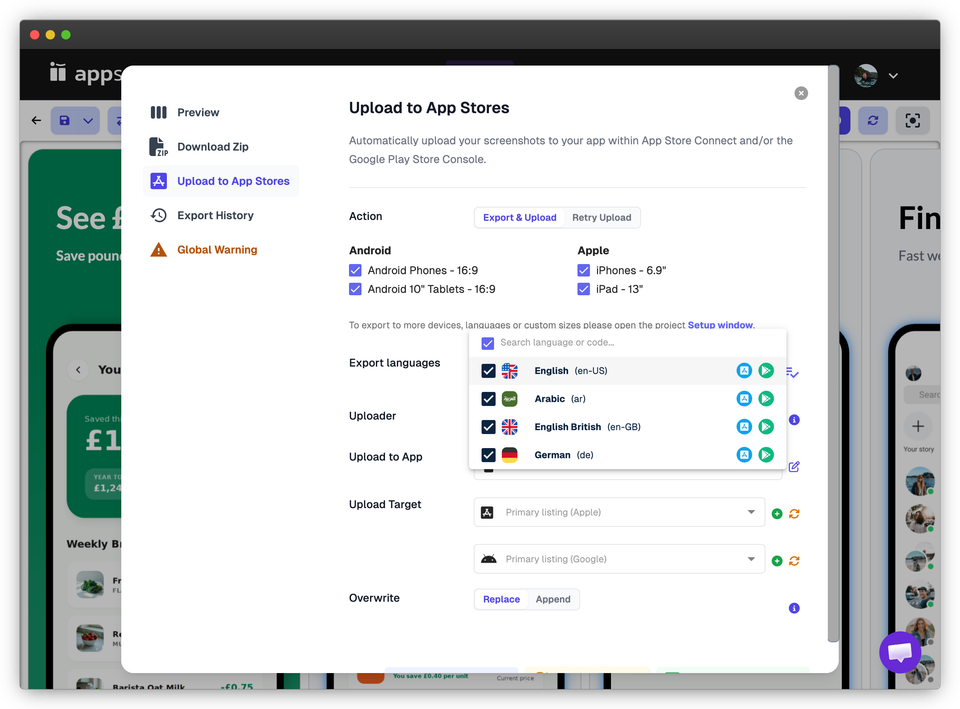
AppScreens supports direct App Store Connect and Google Play uploads, including device sizes, localizations, Apple Custom Product Pages, Product Page Optimization variants, and Google Play experiment assets.
Three AppScreenStudio claims that do not match the current AppScreens product
AppScreenStudio's public AppScreens comparison at appscreenstudio.com/en/alternatives/appscreens contains three claims that are incorrect or unsupported as of 13 August 2026:
- “No modern AI tools” is incorrect. AppScreens includes AI onboarding, caption generation, translation, project restyling, AI guidance, and ASO Review.
- “Localized listings workflow: Manual” is incorrect. AppScreens supports 80+ languages, RTL, automatic text fitting, per-language captions, screenshots and images, organized exports, and localized upload workflows.
- “Faster editor” is unsupported. The page names different frontend frameworks but provides no measured, side-by-side performance benchmark.
The page also says AppScreenStudio provides everything AppScreens does. Its public comparison does not document App Store Connect and Google Play upload workflows, CPP and PPO variants, Google Play experiment assets, or the full responsive project workflow available in AppScreens.
Check the current AppScreens changelog, localization workflow, CPP and PPO workflow, and store upload documentation.
Sources and verification method
AppScreens was checked directly in the current product and against its changelog and upload documentation. AppScreenStudio was checked through its public homepage, public product demos, and public AppScreens comparison page. We did not access or test AppScreenStudio's authenticated editor. References to a faster AppScreens workflow describe the connected production path from source screenshots to store upload, not browser rendering performance. No controlled editor-performance or export-time benchmark was run. A capability that was not publicly documented was not treated as absent. The comparison was last checked on 13 August 2026.
Product features, usage figures, and pricing can change. Check the dated source material when a specific feature is decisive.
- AppScreens changelog
- AppScreens upload documentation
- AppScreenStudio homepage: appscreenstudio.com
- AppScreenStudio's public AppScreens comparison: appscreenstudio.com/en/alternatives/appscreens
FAQ
Are AppScreens and AppScreenStudio the same company?
No. AppScreens and AppScreenStudio are separate, independent products despite their similar names. The official AppScreens product is available at appscreens.com.
What is the main difference between AppScreens and AppScreenStudio?
AppScreens connects visual design to a broader release workflow: AI onboarding, 150+ template sets or a blank canvas, responsive device outputs, 80+ language localization, listing previews, ASO Review, experiment variants, store-ready exports, and direct Apple and Google uploads. AppScreenStudio promotes a free visual editor, templates, multi-size export, AI-generated assets, translation, and a conversion analyzer.
Which App Store screenshot generator is better: AppScreens or AppScreenStudio?
AppScreens is the better choice for most App Store and Google Play screenshot workflows. It combines AI onboarding, 150+ template sets, blank-canvas control, AI captions, responsive sizes, 80+ language localization, ASO variants, direct store uploads, and one reusable project. AppScreenStudio is a narrower option for users focused on its free editor and AI-generated assets.
Can I use AppScreens for a one-off screenshot set?
Yes. AppScreens is fast for one-off screenshots and first releases. Use AI onboarding, choose a template or start from scratch, upload app screens, edit captions and design, then export up to 5 screenshots free.
Does AppScreens have a visual drag-and-drop editor?
Yes. AppScreens lets users move, resize, rotate, layer, copy, and align elements directly on the canvas. Alignment guides support quick visual editing, while Exact Dimensions provides numerical control when precision matters.
Does AppScreens have AI tools?
Yes. AppScreens includes AI-assisted onboarding, caption drafting, translation guidance, and ASO Review. Public claims that AppScreens has no modern AI tools are contradicted by the current product.
Is AppScreens localization manual?
No. AppScreens supports translation and localization across 80+ languages, responsive text fitting, RTL layouts, per-locale captions, fonts, screenshots, images and spacing, organized exports, and direct localized store upload workflows.
Can AppScreens upload directly to Apple and Google?
Yes. AppScreens supports direct App Store Connect and Google Play Console upload workflows, including device sizes, localizations, Apple Custom Product Pages, Product Page Optimization variants, and Google Play experiment assets.
Which product has more public usage proof?
AppScreens publicly reports 150,000+ app professionals and 12M+ screenshots exported. On 13 August 2026, AppScreenStudio’s homepage showed 6,700+ developers and 7,000+ projects in one section, while another section stated 9,600+ workflows. These are self-reported, use different units, and are not directly comparable or independently audited.
How was this AppScreens vs AppScreenStudio comparison verified?
The comparison was last checked on 13 August 2026. AppScreens was checked directly in the current product and against its changelog and upload documentation. AppScreenStudio was checked only through its public homepage, public product demos, and public AppScreens comparison page; its authenticated editor was not accessed or tested. References to a faster AppScreens workflow describe the connected production path from source screenshots to store upload, not browser rendering performance. No controlled editor-performance or export-time benchmark was run. Features that were not documented publicly are labelled that way rather than treated as absent.