
App screenshot generator comparison
AppScreens vs screenshots.pro in 2026: Which Screenshot Generator Is Better?
AppScreens is the better choice when you want App Store and Google Play screenshots that help turn store traffic into downloads without making you become a designer, decode screenshot sizes, write every caption from scratch, or manage upload work by hand.
Use AppScreens for a fast launch set or a repeatable production workflow: start with AI onboarding and app context, choose a template or start from scratch, add real app screens, edit captions, preview store outputs, then export or upload to App Store Connect and Google Play. Choose screenshots.pro only when the job is narrower: rendered mockup images or alpha API-rendered template variations, not the full path from raw app screens to published store assets.
Use AppScreens templates to turn real app screens into store-ready screenshots, then localize screenshots, create ASO variants, and see pricing when projects, uploads, teams, or client work need a repeatable workflow.
Quality screenshots are not decoration. Screenshot updates have been cited around +6% downloads on iOS and +9% on Google Play, ASO testing examples range from about +4% to +61%, and localization examples report +101% to +128% more downloads. That is why AppScreens ties ASO screenshot testing and screenshot localization to the same editable screenshot project.
Use AppScreens when you want downloads, automation, quick screenshot creation, lower repeated screenshot work, lower production cost, correct store sizes without figuring them out, and polished screenshots without becoming a designer.
Quick Take
AppScreens is the better fit when you want App Store and Google Play screenshots quickly, without figuring out sizes, designing from a blank canvas, writing every caption yourself, or handling every export and upload step manually. It works for one fast launch set and scales into localization, ASO variants, direct uploads, automation, and future releases.
AppScreens is the choice when you want downloads, speed, automation, store-ready sizes, direct App Store Connect and Google Play Console upload, localization, ASO testing, lower repeated export work, and less design setup. screenshots.pro is narrower: rendered mockups or API images, with caption fitting, store-size exports, per-language screenshots or images, upload mapping, and later edits still on you.
Verdict: AppScreens is best for launches and release workflows
Best choice for most App Store and Google Play screenshot jobs: AppScreens. It is fast for one-off launch sets, then stronger when screenshots need to be resized, localized, tested, exported, and uploaded across App Store Connect and Google Play from one responsive project. screenshots.pro is a narrower fit when the job stops at rendered mockup images or alpha API-rendered images from prepared templates.
The practical difference is the work after the mockup is approved. Even a small update scales quickly: 5 screenshots across 4 store sizes, 6 languages, and 2 variants becomes 240 assets before upload and QA. AppScreens keeps that work connected in one project: store sizes, benefit-led captions, no-design template starts, text fitting, per-language screenshots or images, ASO variants, exports, upload, and future updates.
Good screenshots matter because they are one of the first selling surfaces in the store. Screenshot updates are cited around +6% downloads on iOS and +9% on Google Play, while ASO testing examples range from about +4% to +61%. ASO testing and localization examples show why polished screenshots need editable captions, text fitting, localized assets, variants, exports, and upload-ready files, not just mockup design.
| Best for | AppScreens | screenshots.pro |
|---|---|---|
| First launches and app updates | Strong fit: design, localize, test, export, and upload | Limited |
| One-off App Store or Google Play screenshot set | Fastest path from app screens to store-ready screenshots | Mockup-image workflow |
| API-rendered templates | Not the main workflow | Alpha API image rendering |
| Current App Store export sizes | Up-to-date workflow | Device/mockup sizes |
| Localization workflow | Strong | Translation support |
| Direct App Store and Google Play upload | Yes | Export/alpha API workflow |
| ASO variants | CPP, PPO, Play experiments | Template image variants |
| Annual price | $90 | $149+ |
Based on the pricing reviewed for this article, AppScreens starts at $90/year and screenshots.pro paid plans start at $149+/year. Always confirm checkout pricing before buying.
What breaks in manual screenshot workflows
- Captions stop fitting after translation, device resizing, or a stronger ASO hook.
- Localized screenshots or images need to change per market, but exported files do not stay connected.
- Store sizes need re-exporting after one caption, layout, screenshot, or device change.
- CPP, PPO, and Google Play experiment files need naming, device mapping, locale mapping, upload, replacement, and QA.
- Cloned files fall out of sync after future app updates, localization changes, or winning test variants.
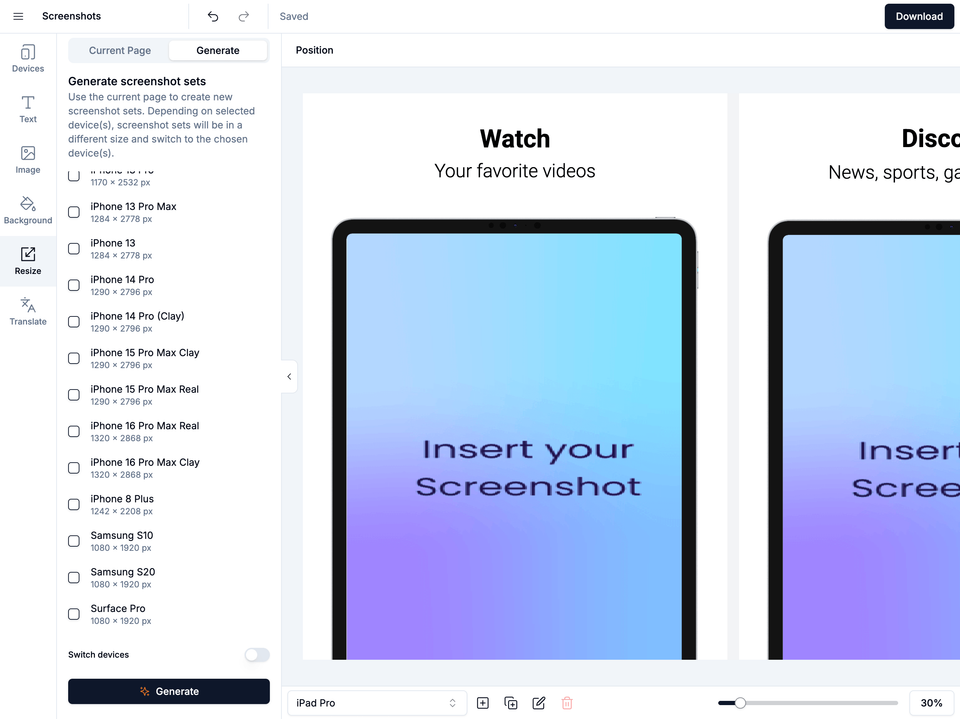
Where AppScreens saves the most work
The biggest difference is not how many templates each tool has. It is how much work remains after the screenshot looks good: store sizes, captions, exports, uploads, localization, variants, QA, and future updates.
This table uses the same checks as the AppLaunchpad comparison so the two pages stay aligned: responsive projects, current store export sizes, App Store Connect and Google Play Console upload, text fitting, per-language assets, ASO variants, device coverage, pricing, API, and changelog freshness. Feature and pricing notes were reviewed on 2 April 2026. The screenshots.pro changelog says it is not updated for every minor release, and the latest major entry visible on that date was 25 Oct 2024. Verify current store-size and device support before production so mismatched assets do not need to be rebuilt, re-exported, and re-uploaded.
| Decision point | AppScreens | screenshots.pro |
|---|---|---|
| Store sizes and responsive projects | ||
| One responsive source project | Responsive source | Smart resize copies layouts |
| Need current App Store export sizes? | Up-to-date | Device/mockup sizes |
| One editable project for every size | Yes | Template rendering |
| Repeated edits and cost | Fewer repeated edits | External file handling |
| All iOS - Phones, tablets, watches, TV, Mac OS, Vision Pro | Yes | No |
| Android device coverage | Phones, tablets, and store-ready Android exports | Android mockup support |
| Custom export sizes | Yes | Yes |
| Upload and release automation | ||
| Direct App Store Connect upload | Direct upload | No |
| Direct Google Play Console upload | Direct upload | No |
| Localized screenshot upload | All locales | No |
| Upload to Custom Product Page | CPP upload | No |
| Upload to Product Page Optimizations | PPO upload | No |
| Preview store listings, devices, and languages before export | Listing + device + locale QA | Preview design |
| Captions, localization, and ASO testing | ||
| Screenshot review workflows | ASO + project reviews | No |
| AI Captions | Yes | No |
| Project Restyle (A/B test) | Yes | No |
| AI localization guidance | AI translation + guidance | Translation support |
| Product Page Optimization variants | PPO variants | No |
| Custom Product Page variants | CPP variants | No |
| Google Play experiment variants | Yes | Manual variants |
| First 3 screenshot conversion planning | Yes | Template-led |
| Automatic Translation | Yes | Translation support |
| Auto Font Sizing | Yes | No |
| Long translation text fit | Yes | No |
| Per-language raw screen and spacing overrides | Yes | No |
| CSV translation import/export | Yes | No |
| Supported Languages | 80+ store languages | Language support |
| Localization workflow | AI guidance, per-locale assets, export, and upload | Translation support |
| Manual Translation Rework | Yes | Manual text edits |
| Store assets, templates, and device coverage | ||
| Apple App Store | Yes | Yes |
| Google Play Store | Yes | Yes |
| Google Chrome Web Store | Yes | No |
| Amazon App Store | Yes | No |
| Huawei AppGallery | Yes | No |
| Drag-and-drop screenshot editing | Drag-and-drop editor | Yes |
| Quick Create from app listing metadata | Quick Create | No |
| Bulk raw screenshot import | Yes | No |
| Google Play Feature Graphic | Yes | Separate/custom workflow |
| Apple Watch outputs | Yes | No |
| Vision Pro and emerging Apple targets | Yes | No |
| App Store Templates | 150+ templates, 2,000+ outputs | 10 visible mockup templates |
| Pricing and API | ||
| Free Plan | Save 1 project with up to 5 screenshots, can't use pro features without watermarks | Have to attribute them wherever screenshots are used |
| Yearly Cost US$ | $90 | $149+ |
| API | Coming soon | Alpha API image rendering |
What the release workflow looks like
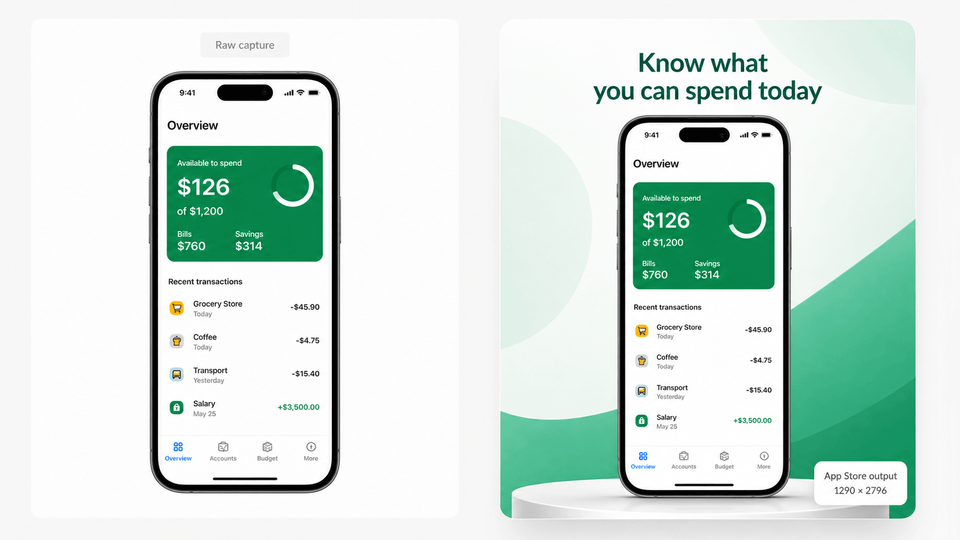
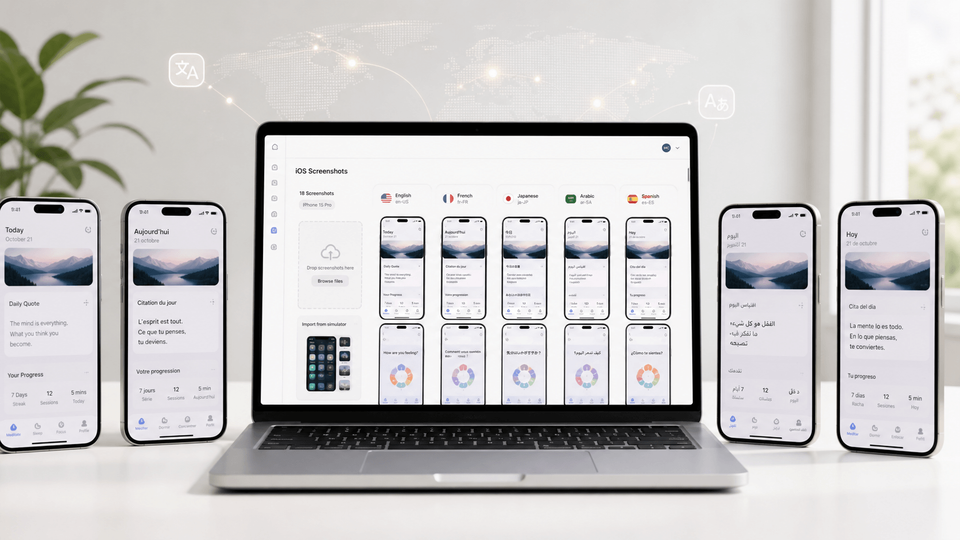
A good comparison should show the work after the mockup: Quick Create or raw screens become store creative, drag-and-drop edits stay connected, captions keep fitting after translation, store listing previews catch issues, per-language screenshots and images stay editable, and ASO variants remain connected to the right store sizes, exports, and uploads.
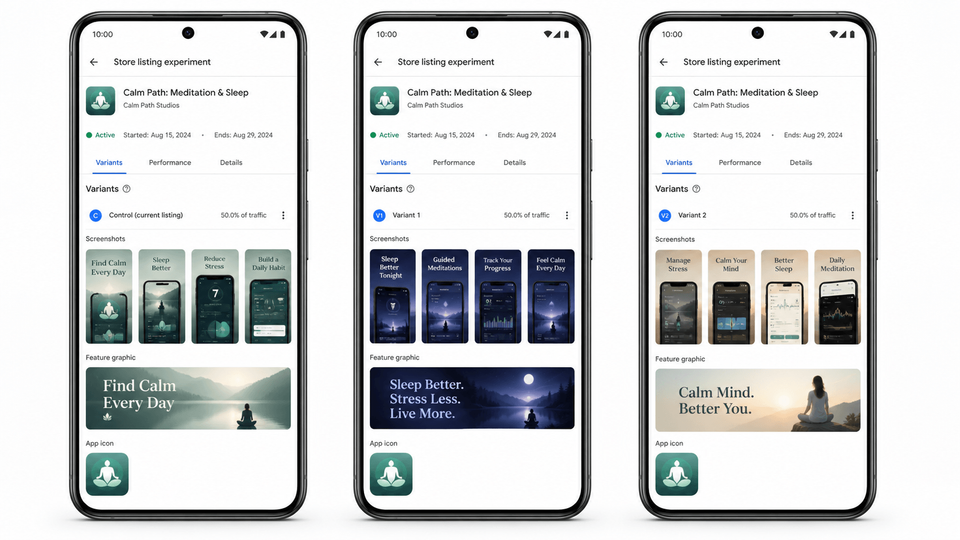
AppScreens vs screenshots.pro: the practical difference
The practical difference is not whether a mockup can look polished. AppScreens is stronger when screenshots need to help sell the app, fit store sizes, avoid design busywork, localize cleanly, create test variants, export correctly, and upload to the stores. screenshots.pro is a narrower fit when the job stops at visual mockups or alpha API-rendered template variations.
Alpha API rendering stops at prepared images. It does not replace App Store Connect and Google Play Console upload, text fitting, per-language screenshot or image swaps, CPP/PPO assets, Play experiment variants, repeated exports, and later caption or size changes.
Mockup generator vs download-focused screenshots
AppScreens turns real app screens into captioned, store-ready screenshots designed to explain value faster and support downloads. A rendered mockup image still leaves captions, store sizes, exports, uploads, and later edits to manage elsewhere.
Alpha API rendering vs connected publishing
AppScreens keeps store-ready sizes, organized assets, export, and upload connected. Alpha API image rendering can produce variations from prepared templates, but store publishing still needs file naming, device mapping, locale mapping, upload, replacement, and QA around those images.
Translation support vs production localization
AppScreens keeps localization tied to long-text fitting, per-language screenshots, per-language images, font choices, store-specific exports, and localized upload. Translation alone does not fix overflowing captions or finish the release job.
How we compared them
We reviewed pricing, template and export features, localization support, API documentation, direct App Store Connect and Google Play Console upload, update visibility, and suitability for first launches and recurring App Store and Google Play releases on 2 April 2026.
- Public pricing and plan information.
- Template, editor, smart export, device frame, and multi-device screenshot features, including 10 visible screenshots.pro mockup templates counted in our review.
- Whether language support includes text fitting, per-language screenshots, per-language images, font choices, exports, upload, and release QA.
- API documentation and whether automation reaches store-ready publishing.
- Direct App Store Connect and Google Play Console upload workflow support.
- Public changelog visibility and suitability for first launches and recurring localized releases.
Which tool should you choose?
Choose based on whether screenshots are prepared visual assets or part of a repeatable release workflow.
| Choose AppScreens if... | Only consider screenshots.pro if... |
|---|---|
| You want a fast launch set without learning a design tool or store-size rules | You only need rendered mockup images or alpha API-rendered template variations, and you will handle sizing, captions, localization, QA, export, and upload elsewhere |
| You want to export or upload directly to App Store Connect and Google Play | You render from prepared templates and handle publishing elsewhere |
| You localize captions, fit longer text, swap per-language screenshots or images, and export without remaking every localized file by hand | You can handle localized file export and upload manually |
| You create CPP/PPO or Play experiment variants to improve downloads | You need alpha API-generated image variations and can manage the store test workflow elsewhere |
| You want to save time and money by avoiding repeated caption edits, size checks, localized layout fixes, exports, and upload mapping | You only need prepared image rendering and will handle captions, store sizes, localization, exports, uploads, and later changes elsewhere |
The short version: AppScreens is the better choice when screenshots are tied to downloads, launches, localization, ASO testing, store-ready sizing, exports, and upload. Choose screenshots.pro only for narrower mockup or API-rendering jobs.
What to verify before choosing a screenshot tool
| What to check | What to verify | Why it matters |
|---|---|---|
| Alpha API rendering solves store upload | Check whether automation reaches official App Store Connect and Google Play Console upload workflows/APIs, not only image rendering. | Rendered images still need accepted store sizes, file naming, device mapping, locale mapping, upload, replacement, QA, variant tracking, and publishing. AppScreens keeps store sizes, variants, exports, uploads, and future changes connected in one editable project. |
| Finished renders mean the screenshot work is done | Check whether future caption, screenshot, language, size, and variant changes stay editable in one project. | Store screenshots change after launch. If a tool only renders images, simple updates become repeated edits across device sizes, localized sets, CPP/PPO pages, Google Play experiments, exports, and uploads. AppScreens keeps screenshot work editable so teams can update once, preview outputs, then export or upload the affected assets. |
| Smart resize removes size work | Check whether resizing creates store-ready release outputs or copies the project into another layout that still needs manual adjustment. | If each output size needs its own configured layout, a simple screenshot set becomes repeated layout work. Device-size mockup outputs also do not prove App Store Connect 6.9-inch, 6.5-inch, iPad, or Google Play release-size coverage. |
| Polished mockups are the main comparison point | Compare the full path from real app screens to localized, variant-ready, upload-ready store assets. | Attractive mockups do not stop captions from overflowing, language-specific screenshots or images from needing changes, export sizes from needing checks, or store files from needing upload and replacement. |
| Localization support is enough | Check translated text fit, per-language screenshots, per-language images, fonts, localized exports, and localized upload. | A translated caption is only the first step. Longer copy can overflow the template area, the font may not suit the language, screenshots or images may need to change per locale, and upload work can still become manual if the tool cannot manage localized device sets. |
| Text controls are enough | Check whether captions automatically fit across device sizes and languages. | App store captions stop working when they overflow, shrink too far, or collide with the app screen. Longer translated text makes this worse. If a tool leaves text fitting to manual edits after rendering, every device size and language can become another layout pass. AppScreens supports automatic text resizing so captions stay editable and easier to preview before export or upload. |
| Rendered template variations stay connected automatically | Keep store sizes, captions, languages, variants, exports, and upload-ready assets connected to one editable project where possible. | Separate rendered images make a simple feature-name, caption, screenshot, or layout change become repeated edits across device files, languages, and ASO variants. |
| Modern device frames mean store readiness | Check required sizes, repeat updates, ASO variants, localization QA, and upload workflow. | Great-looking mockups still need to become accurate App Store and Google Play assets for every release target. |
FAQ
Is AppScreens better than screenshots.pro?
AppScreens is better when speed, downloads, store-ready sizes, uploads, and fewer repeated edits matter. It handles one-off launch sets with AI onboarding, ready-made templates, AI captions, real app screen uploads, store-ready exports, and direct upload workflows, then scales into AI guidance, text fitting, per-language assets, responsive layouts, ASO variants, App Store Connect upload, and Google Play workflows. Compare AppScreens pricing before choosing a paid screenshot tool.
What is the main workflow difference between AppScreens and screenshots.pro?
AppScreens is built around a guided screenshot project that can be used once for a quick launch or reused for caption updates, markets, variants, exports, uploads, and QA. screenshots.pro is a narrower mockup and alpha API-rendering workflow, while AppScreens covers more of the path from raw app screens to published store assets.
What breaks in a mockup-only screenshot workflow?
Rendered mockups still need accepted store sizes, caption fitting, per-language screenshots or images, file naming, device mapping, locale mapping, upload, replacement, QA, and future edits. AppScreens keeps those steps in one editable workflow with templates, text fitting, per-language assets, store-ready exports, upload workflows, localization, and variants.
When should I use AppScreens instead of screenshots.pro?
Use AppScreens when you want downloads, automation, quick screenshot creation, lower production cost, correct store sizes without figuring them out, and polished screenshots without becoming a designer. AppScreens keeps caption fitting, per-language assets, store-ready exports, uploads, localization, and future updates in one editable project, while variants are faster to create without rebuilding every size and language by hand. Use screenshots.pro only when you need rendered mockup images or alpha API-rendered template variations and will handle captions, store sizes, localization, uploads, and later changes elsewhere.
Which tool is faster for one-off app store screenshots?
AppScreens is faster for most one-off app store screenshot sets because it combines AI onboarding, app context, hundreds of ready-made templates, AI captions, real app screenshots, exact store exports, and upload workflows. That removes the design-tool learning, caption writing, size checking, export handling, and upload work that slow down a basic launch set.
Is screenshots.pro enough for production localization?
Translation support is not enough for localization. AppScreens is stronger when localized screenshots need longer-text fitting, per-language screenshots or images, font choices, QA, organized exports, and upload workflows.
Does screenshots.pro have an API?
Yes, but screenshots.pro frames its API workflow as alpha. The API can render copies of prepared templates, but that is not the same as current store sizes, editable captions, text fitting, per-language assets, exports, App Store Connect upload, Google Play workflows, ASO variants, and QA.
Is screenshots.pro project resizing the same as App Store and Google Play release sizing?
No. Resizing a mockup project across device formats is useful for presentation, but it is not the same as generating current App Store Connect release-size sets such as 6.9-inch and 6.5-inch screenshots, or Google Play-ready assets. screenshots.pro smart resize copies the project to another output layout, then that layout still needs manual checking and adjustment. Store-ready production also needs accepted dimensions, caption fitting, localized assets, ASO variants, organized exports, and upload-ready files.
When was screenshots.pro last updated?
The public screenshots.pro changelog says it is not updated for every minor update, and the latest major entry visible on 2 April 2026 is 25 Oct 2024. Teams should verify current device and store support before relying on it for a 2026 release workflow.
Which tool is better for localization?
AppScreens is better when localization includes translation, text fitting, layout checks, longer-text handling, RTL support, per-language screenshots, per-language images, exports, and App Store Connect or Google Play Console upload. Localization is not only a translated caption. Start with screenshot localization.
Which tool is better for App Store Connect and Google Play upload workflows?
AppScreens is the better fit because it supports App Store Connect upload and Google Play upload workflows. That matters for paid speed, localized assets, multiple device sizes, CPP variants, PPO treatments, and Play experiments where files need sorting, mapping, replacing, and checking. Compare upload and team needs on pricing.
Read on
AppScreens pages
- App screenshot generator
- App Store screenshot generator
- Google Play screenshot generator
- App Store screenshot templates
- ASO screenshot workflow
- PPO and CPP screenshot variants
- Google Play feature graphic generator
Related guides
Sources
- screenshots.pro homepage and pricing 2026
- screenshots.pro API documentation 2026
- screenshots.pro changelog 2026
- Apple Developer: App Store expands support to 11 new languages