From the AppScreens team
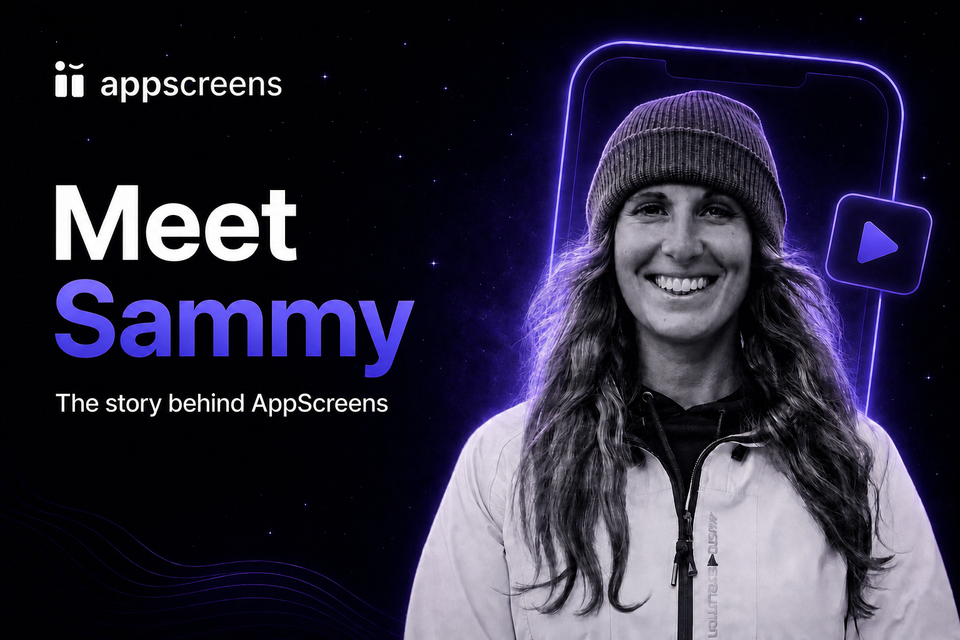
Meet Sammy: The Story Behind AppScreens
Meet Sammy Greener, AppScreens co-founder and product manager. Sammy recently joined Steve P. Young from App Masters to share how AppScreens grew from a problem she and Ralph kept hitting while building and marketing their own app, CookBook.
The conversation covers the early days of CookBook, why app store screenshots took days to prepare, what makes the first three screenshots matter, and how AppScreens now helps developers create, localize, test, export, and upload store assets from one project.

In short
Sammy and Ralph built AppScreens after experiencing the screenshot workflow themselves. Every release meant checking store requirements, designing multiple sizes, managing localizations, exporting files, uploading assets, and repeating the work after the next update.
In this App Masters interview, Sammy explains that origin story, walks through the AppScreens workflow, and shares practical advice for clearer captions, stronger first screenshots, localization, Product Page Optimization, and Custom Product Pages.
Watch the full interview
Steve and Sammy talk through the journey from CookBook to AppScreens, then build a new screenshot set, localize it, preview the store listing, and upload the finished assets to App Store Connect.
From CookBook to AppScreens
Sammy and Ralph released CookBook in 2016 after struggling to find a recipe manager that could bring handwritten recipes, cookbook pages, printouts, bookmarks, and online recipes into one organized place. As CookBook grew, every app update brought the same store problem back: preparing screenshots across device sizes and languages took far too long.
The tools they tried were flexible canvases, but the production work stayed manual. Captions, device frames, output sizes, localized app screens, exports, file order, and store uploads all had to be managed separately. AppScreens began as their answer to that repeated release task, and the team still uses it for CookBook today.
What Sammy covers in the interview
- Why the first three screenshots need to communicate the app value quickly.
- How benefit-led captions differ from feature labels.
- How to use real localized app screens, translated captions, and per-language images.
- How Quick Create, templates, responsive sizing, previews, exports, and direct uploads fit together.
- How Product Page Optimization and Custom Product Pages make screenshot variants easier to test and manage.
Watch more
How to Create App Store Screenshots That Get More Downloads
In this follow-up walkthrough, Steve breaks down a screenshot test that increased downloads, then uses AppScreens to create, edit, localize, preview, upload, and prepare a Product Page Optimization treatment.
Watch How to Create App Store Screenshots That Get More Downloads on YouTube.
How to Increase Organic Downloads Without Changing Keywords
Steve explains how screenshot messaging, order, visual design, and Product Page Optimization tests can improve conversion without changing ASO keywords, then uses AppScreens to prepare screenshot variants.
Watch How to Increase Organic Downloads Without Changing Keywords on YouTube.