
Let Us Compare
Compare App Store Screenshot Tools in 2024
In the digital era, where app stores are flooded with millions of apps, standing out is no small feat. One of the most effective strategies to catch a user's eye and significantly increase app download conversions is to design smart and effective app store screenshots.
This is where App Store Optimisation (ASO) screenshot tools like AppScreens, AppLaunchpad, and screenshots.pro come into play. Each offers a service to assist with the rapid creation of App Store screenshots, but which one best solves the problem, fits your needs and aligns with your budget?
Let's dive into a comparison of each alternative to help you decide.

Quick Take
AppScreens explains that app store screenshot tools should be compared on the release workflow, not just template previews. Look at whether the tool can support App Store and Google Play sizes, localization, device coverage, editable repeat releases, ASO variants, and store-ready exports without rebuilding the same screenshot set by hand.
| Feature |  AppLaunchpad AppLaunchpad |  AppScreens |  screenshots.pro screenshots.pro |
|---|---|---|---|
| Decision Points | |||
| Best for release workflow: AppScreens | Template-heavy visual editorTemplate-heavy visual editor | Full app store screenshot workflowFull app store screenshot workflow | Limited support: Narrow mockup/API workflow |
| Best for App Store and Google Play upload: AppScreens | Manual export workflowManual export workflow | App Store Connect and Google Play ConsoleApp Store Connect and Google Play Console | Limited support: Export/alpha API workflow |
| Best for production localization: AppScreens | Limited support: Translation support | Translation, fitting, per-language assets, export, uploadTranslation, fitting, per-language assets, export, upload | Limited support: Translation support |
| Best for ASO variants: AppScreens | Manual variant workflowManual variant workflow | CPP, PPO, Google Play experiments, restylingCPP, PPO, Google Play experiments, restyling | Limited support: Template variant rendering |
| Best for AI captions: AppScreens | NoNo | YesYes | NoNo |
| Alpha API rendering is not the release workflow | No API workflowNo API workflow | Limited support: Planned API | Limited support: Alpha API image rendering |
| Best starting price: AppScreens | From $180/yearFrom $180/year | From $90/yearFrom $90/year | From $149+/year, depending on planFrom $149+/year, depending on plan |
| Best user fit | Limited support: Manual screenshot designers | Fast launches plus later caption, size, language, and upload updatesFast launches plus later caption, size, language, and upload updates | Limited support: Mockup/API users |
| Devices & Store Sizes | |||
| One responsive source project | Limited support: Clone per device | Responsive source: One AppScreens project adapts across device sizes, stores, languages, and export targets.Responsive source | Limited support: Smart resize copies layouts |
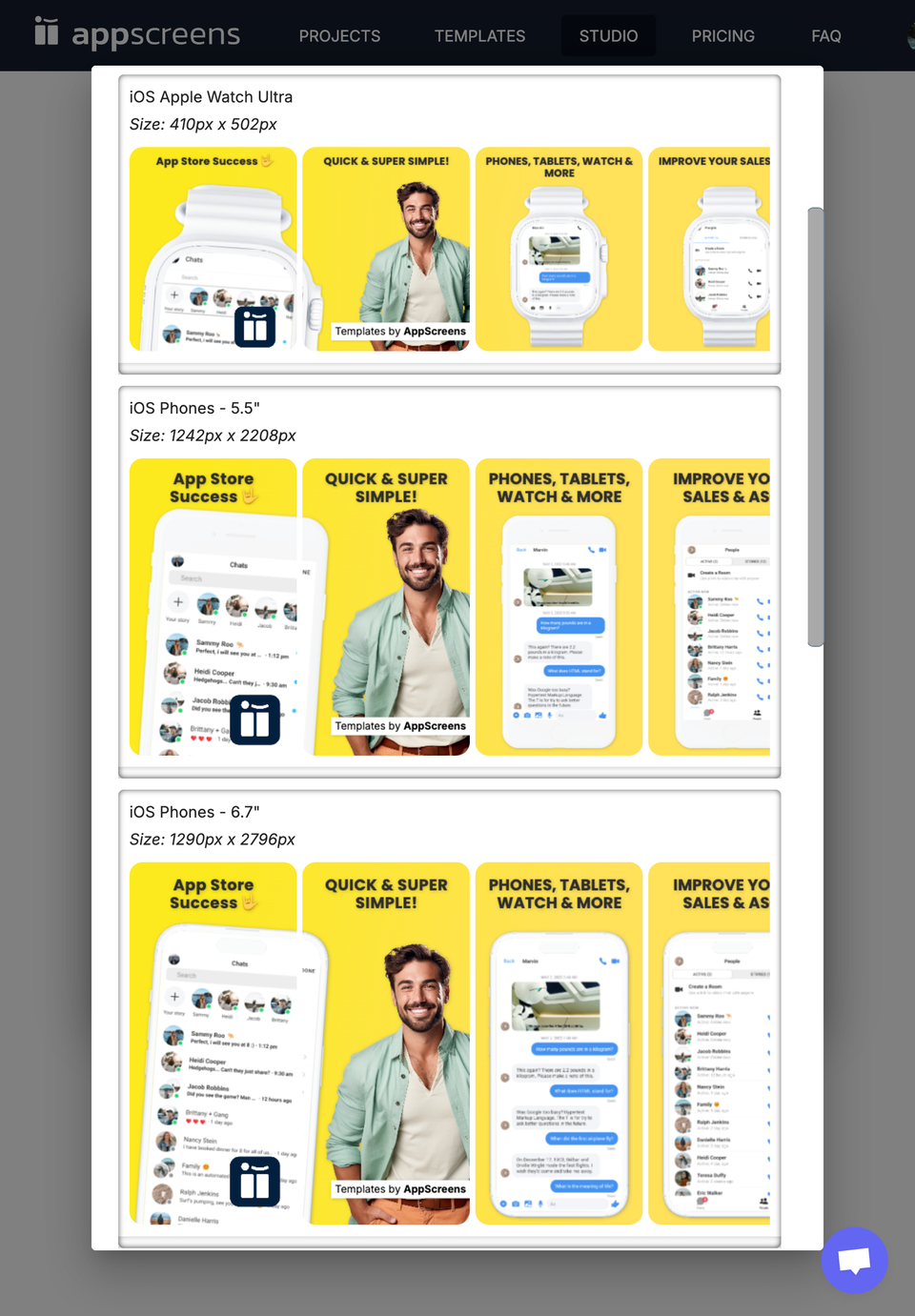
| Need current App Store export sizes? | Limited support: Manual size checking | Up-to-date: AppScreens supports required App Store and Google Play screenshot sizes and keeps export work in one editable project.Up-to-date | Limited support: Device/mockup sizes |
| One editable project for every size | Not supported: Clone workflow | Supported: Update the project once, then preview and export the affected sizes. | Limited support: Template rendering |
| Repeated edits and cost | Limited support: Repeated file edits | Fewer repeated edits: AppScreens keeps captions, store sizes, text fitting, per-language assets, variants, exports, uploads, and QA in one editable project.Fewer repeated edits | Limited support: External file handling |
| All iOS - Phones, tablets, watches, TV, Mac OS, Vision Pro | Limited support: iPhone, iPad, Mac templates | Supported | Not supported |
| Android device coverage | Limited support: Phones and tablets | Phones, tablets, and store-ready Android exports: AppScreens supports Android phone and tablet previews, responsive layouts, and Google Play-ready exports.Phones, tablets, and store-ready Android exports | Limited support: Android mockup support |
| Google Play Feature Graphic | Supported: Templates available | Supported: Create matching Play Store feature graphics alongside screenshot sets. | Limited support: Separate/custom workflow |
| Apple Watch outputs | Not supported | Supported | Not supported |
| Vision Pro and emerging Apple targets | Not supported | Supported | Not supported |
| Dynamic Device Frames | Limited support: Only colour | Supported | Not supported |
| Custom export sizes | Supported | Supported | Supported |
| Release Workflow | |||
| Direct App Store Connect upload | Not supported: Export only | Direct upload: Automatically upload screenshots to App Store Connect.Direct upload | Not supported |
| Direct App Store and Google Play upload | Limited support: Manual export workflow | App Store Connect and Google Play Console: Upload screenshot sets directly to App Store Connect and Google Play Console.App Store Connect and Google Play Console | Limited support: Export/alpha API workflow |
| Direct Google Play Console upload | Not supported: Export only | Direct upload: Automatically upload screenshots to Google Play Console.Direct upload | Not supported |
| Upload to Custom Product Page | Not supported: Manual files | CPP upload: Automatically upload your screenshots to the Apple App CPPs.CPP upload | Not supported |
| Upload to Product Page Optimizations | Not supported: Manual files | PPO upload: Automatically upload your screenshots to the Apple App Store PPOs.PPO upload | Not supported |
| Localized screenshot upload | Not supported: Manual upload | All locales: Upload localized screenshot sets instead of manually sorting files by language.All locales | Not supported |
| Preview store listings, devices, and languages before export | Limited support: Preview design | Listing + device + locale QA: Preview App Store and Google Play listings, target outputs, sizes, and languages before export or upload.Listing + device + locale QA | Limited support: Preview design |
| AI & ASO Testing | |||
| Screenshot review workflows | Not supported | ASO + project reviews: Run a free ASO Review to find screenshot frames that may be costing downloads, or review saved project screenshots in Preview & Upload with feedback history. Then rebuild weak spots with templates, Quick Create, drag-and-drop editing, captions, listing previews, exports, and uploads.ASO + project reviews | Not supported |
| AI Captions | Not supported: AI theme suggestions are described as coming soon; AppScreens already supports AI caption generation. | Supported: Use AI to generate captions that help sell your app. | Not supported |
| Project Restyle (A/B test) | Not supported | Supported: Use AI to generate new A/B test versions of your screenshots to help promote your app on the app store. | Not supported |
| AI localization guidance | Limited support: One-way translate | AI translation + guidance: Use AI to translate screenshot copy and guide production localization, then fine-tune language-specific text, layout, screenshots, and upload-ready outputs.AI translation + guidance | Limited support: Translation support |
| Product Page Optimization variants | Not supported | PPO variants: Create and upload Apple PPO screenshot variants.PPO variants | Not supported |
| Custom Product Page variants | Not supported | CPP variants: Maintain audience-specific CPP screenshot sets.CPP variants | Not supported |
| Google Play experiment variants | Limited support: Manual variants | Supported: Create testable Play Store screenshot and feature graphic variants. | Limited support: Manual variants |
| First 3 screenshot conversion planning | Limited support: Template-led | Supported: Plan hooks, proof, and differentiators for the first screenshots users see. | Limited support: Template-led |
| Supported App Stores | |||
| Apple App Store | Supported | Supported | Supported |
| Google Play Store | Supported | Supported | Supported |
| Google Chrome Web Store | Not supported | Supported | Not supported |
| Amazon App Store | Not supported | Supported | Not supported |
| Huawei AppGallery | Not supported | Supported | Not supported |
| Pricing & Plans | |||
| Free Plan | Limited support: Cannot use pro features without watermarks | Limited support: Save 1 project with up to 5 screenshots, can't use pro features without watermarks | Limited support: Have to attribute them wherever screenshots are used |
| Monthly Cost US$ | $29$29 | $25$25 | $19+$19+ |
| Yearly Cost US$ | $180+$180+ | $90$90 | $149+$149+ |
| Unlimited Projects | Not supported: 100 or enterprise required | Supported | Supported |
| Agency / client licence | Limited support: Not clear in screenshot builder pricing | Supported: Extended licence available for agencies, freelancers, and client deliverables. | Limited support: Extended plan required |
| Public product proof | Limited support: 1M+ users / 20M downloads | 150k+ app pros / 12M+ exports150k+ app pros / 12M+ exports | 1000s of apps1000s of apps |
| Design Features | |||
| App Store Templates | Limited support: 257 template records | 150+ templates, 2,000+ outputs: Some template packs count resized files as separate templates. AppScreens keeps the designs editable: 150+ template sets, 500+ screenshot layouts, and 2,000+ App Store and Google Play template/output combinations. AppScreens also supports updated template browsing with favourite and saved templates.150+ templates, 2,000+ outputs | Limited support: 10 visible mockup templates |
| 3D Devices | Supported | Supported | Limited support: Partial support, only some devices & colours |
| Panoramic Backgrounds | Not supported | Supported | Supported |
| Landscape & Portrait | Not supported | Supported | Supported |
| Multiple Layers | Supported | Supported | Supported |
| Custom Images | Supported | Supported | Supported |
| Multiple Devices | Supported | Supported | Supported |
| Shadows | Supported | Supported | Supported |
| Drag-and-drop screenshot editing | Supported | Drag-and-drop editor: Move, copy, resize, and continue screenshot elements across screens while keeping templates, responsive sizes, localization, previews, exports, and uploads connected.Drag-and-drop editor | Supported |
| Bulk raw screenshot import | Not supported: Device-specific uploads are documented one device at a time. | Supported: Bulk import raw app screenshots into a project. | Not supported |
| Quick Create from app listing metadata | Not supported | Quick Create: Look up app details, map captions, select templates, choose fonts and background styles, and get screenshot fallback guidance before editing.Quick Create | Not supported |
| Captions | |||
| Auto Font Sizing | Limited support: Manual font size controls | Supported: Automatically resize font to match | Not supported |
| Multiple Captions | Supported | Supported | Supported |
| Custom Fonts | Supported | Supported | Supported |
| Rich Text & Emoji | Limited support: Applies to all text, with no emoji | Supported: Bold, underlined, colours, alignment, emojis | Limited support: Limited to entire caption only |
| Caption Backgrounds | Not supported | Supported | Not supported |
| Translations | |||
| Automatic Translation | Limited support: One-way translate | Supported: AI and manual localization workflows. | Limited support: Translation support |
| Supported Languages | Limited support: Multiple | 80+ store languages: 80+ current App Store and Google Play screenshot languages, including Apple's 2026 additions.80+ store languages | Limited support: Language support |
| Localization workflow | Limited support: Translation support | AI guidance, per-locale assets, export, and upload: AppScreens combines AI translation, AI guidance, text fitting, per-language raw screenshots, per-language images, font choices, store-ready export, and localized upload workflows.AI guidance, per-locale assets, export, and upload | Limited support: Translation support |
| Manual Translation Rework | Limited support: Translate button | Supported: Adjust text and font for every language. | Limited support: Manual text edits |
| Localised Screenshot Upload | Not supported | Supported | Not supported |
| RTL Support | Not supported | Supported | Not supported |
| Custom Font Per Language | Not supported | Supported | Not supported |
| Long translation text fit | Limited support: Manual fix likely | Supported: Text can adapt for longer languages while staying consistent. | Not supported |
| Per-language raw screen and spacing overrides | Not supported: No locale screens | Supported: Override captions, fonts, screenshots, and spacing per locale without duplicating projects. | Not supported |
| CSV translation import/export | Not supported | Supported: Export translations to CSV, fix captions in a spreadsheet, and import updates back into the project without retyping every language by hand. | Not supported |
| Other | |||
| API | Not supported | Limited support: Coming soon | Limited support: Alpha API image rendering |
Flexible Screenshot Production
Why AppScreens Leads the Screenshot Market
The right screenshot tool should reduce release work, keep sizes accurate, and make App Store Optimisation (ASO) easier to test. The alternatives all help in different ways, but AppScreens is built for teams that need repeatable store assets, not one-off mockups.
- One Design, All Devices
- AppScreens uses one responsive project for all outputs, so one design can cover iOS, Android, and custom device sizes. Unlike tools that require separate exports or one-time conversions, AppScreens keeps the set editable and consistent as requirements change.
- Comprehensive Device Coverage
- AppScreens supports the device families app teams commonly need for stores, including iOS phones and tablets, watches, tvOS, macOS, Vision Pro, Android phones, and Android tablets.
- Beyond Borders with Localisation
- AppScreens supports 80+ current App Store and Google Play screenshot languages, including Apple's 2026 additions, with manual translation and localised screenshot uploads. You can adapt the same screenshot set for each priority market.
- Design Without Limits
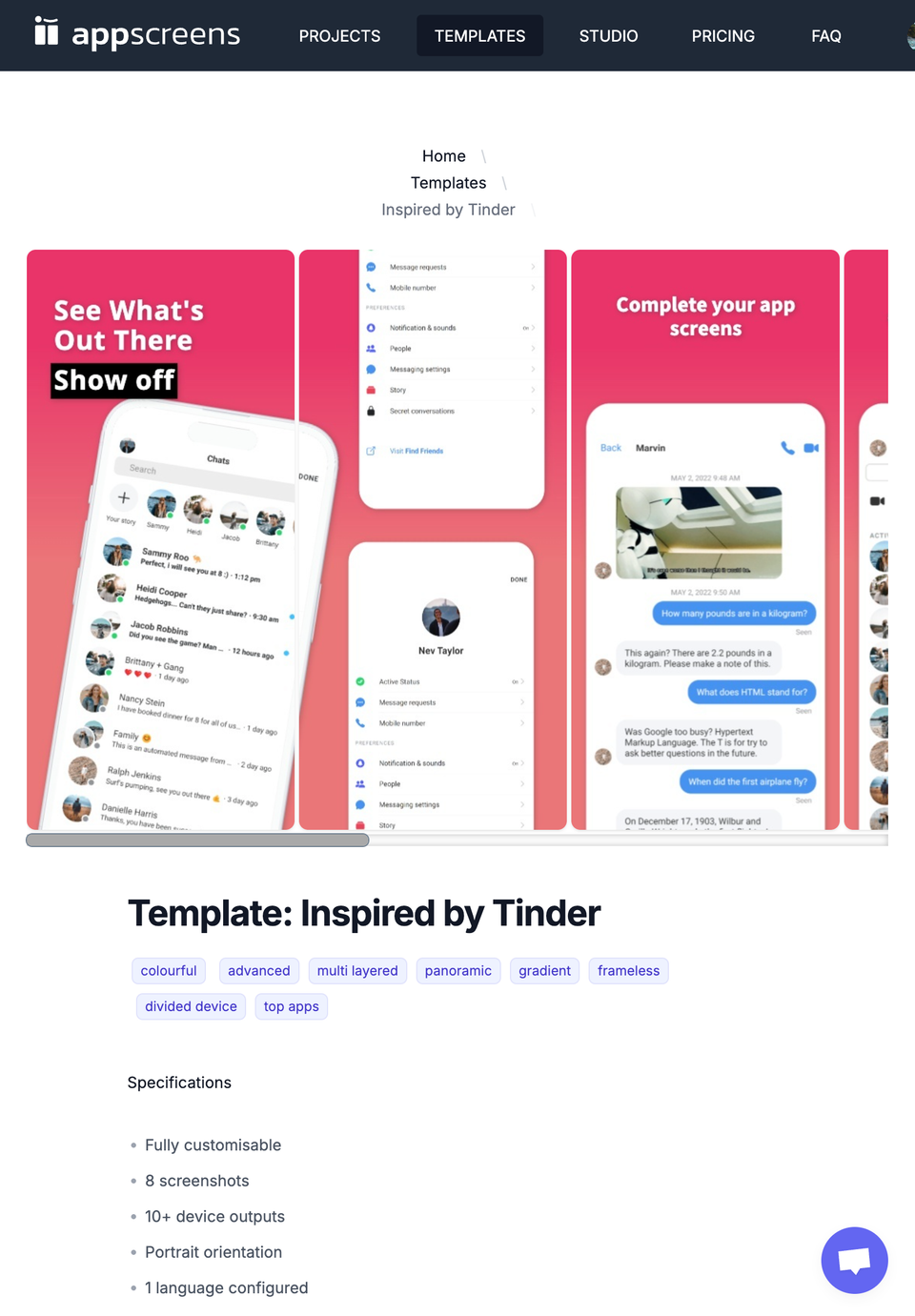
- AppScreens provides 150+ templates. 500+ editable layouts. 2,000+ store-ready output combinations. Panoramic backgrounds, 3D device options, rich text, multiple layers, and custom images give you enough control to match the screenshot set to your app and brand.
- Drag, Drop, and Design
- Drag-and-drop tools can be quick for one canvas, but they often create extra work when every store size must stay aligned. AppScreens uses a responsive layout designer so a project can resize across device outputs from the same source.
- The Price of Excellence
- AppScreens pricing is built for teams that export often. The yearly plan keeps recurring screenshot, localization, and store-upload work affordable over multiple releases.
A Clear Choice
AppScreens
As developers who faced the relentless challenge of generating and localising high-quality app screenshots ourselves, we knew there had to be a better way. The countless files and endless hours spent were more than just a headache; they were a roadblock to our creativity, and our productivity. That's why we created AppScreens.
AppScreens is a focused workflow for creating app store screenshots, feature graphics, localized assets, and release-ready exports. With broad device support, design controls, and 80+ current App Store and Google Play screenshot languages, AppScreens has already exported 12M+ screenshots for more than 150,000 developers and app teams.
Choose AppScreens - built by app developers who needed a better way to get screenshots ready for release. Learn more about why we built AppScreens.
Create screenshots free
Read on

“AppScreens helped us prepare the screenshots we needed for store submission.”
“The templates and pricing make screenshot work easier for freelance app projects.”
Turn raw app screens into installs
Make your app value obvious with professional, localized, store-ready screenshots for every required app store size. Trusted by 150,000+ app professionals, with 12M+ screenshots exported. Start free.

© 2026 AppScreens, a registered business name of Salty Bytes Pty Ltd. All rights reserved | v1.1.249