Screenshot testing for smaller apps
How to A/B Test App Screenshots with Low Traffic
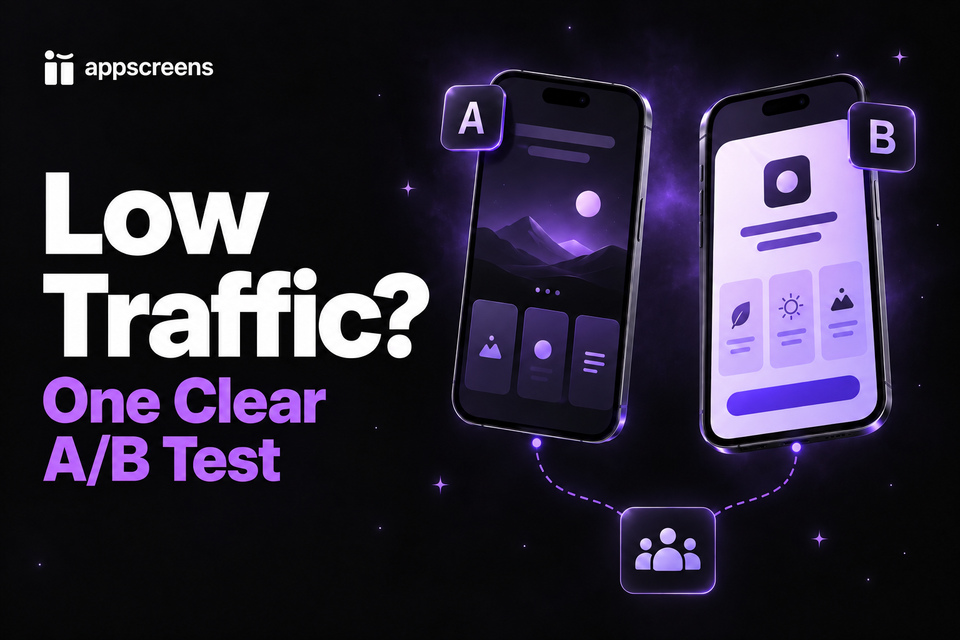
Start with the audience eligible for your store experiment and the console's estimated duration. Then compare your current screenshots with one meaningful alternative. This guide helps you decide whether to run the test, what to record, and when to continue or stop if the result stays inconclusive.


Check feasibility, then test one challenger
Use eligible traffic and the console estimate to decide whether testing is practical. Choose one hypothesis, keep the control and challenger unchanged during the test, and set a review date. If the result stays inconclusive and further waiting is impractical, record "no reliable winner" and retain an accurate control. Correct inaccurate UI or repeated misunderstandings without waiting for a conversion winner.
Prepare the challenger in AppScreens, even if your live screenshots came from another AI tool. Use AI onboarding, a template, real app screens, and editable captions to export the required sizes without hiring a designer or calculating each canvas size. Start free with one project and up to five designs with essential store-size exports, then upload manually. The store runs the experiment.
Check whether a store test is practical
A few daily downloads do not tell you how long a test needs. Check the traffic eligible for the listing, language, and experiment you plan to use, then its starting conversion rate. Your total app downloads or traffic from another market may describe a different audience from the one being compared.
Use the estimated duration in Apple Product Page Optimization or Google Play Store Listing Experiments for your setup. Eligible traffic, baseline conversion, allocation, and the difference you want to detect all affect feasibility. Small differences need more data to resolve; another app's sample count or test duration is not a target for yours.
If the estimate fits a period you can realistically wait, prepare one challenger and set a review date. If it does not, use the comprehension check below to improve the next version while you attract relevant visitors. You can prepare better creative now without committing to an experiment that cannot answer your question in a useful time.
Choose one meaningful hypothesis
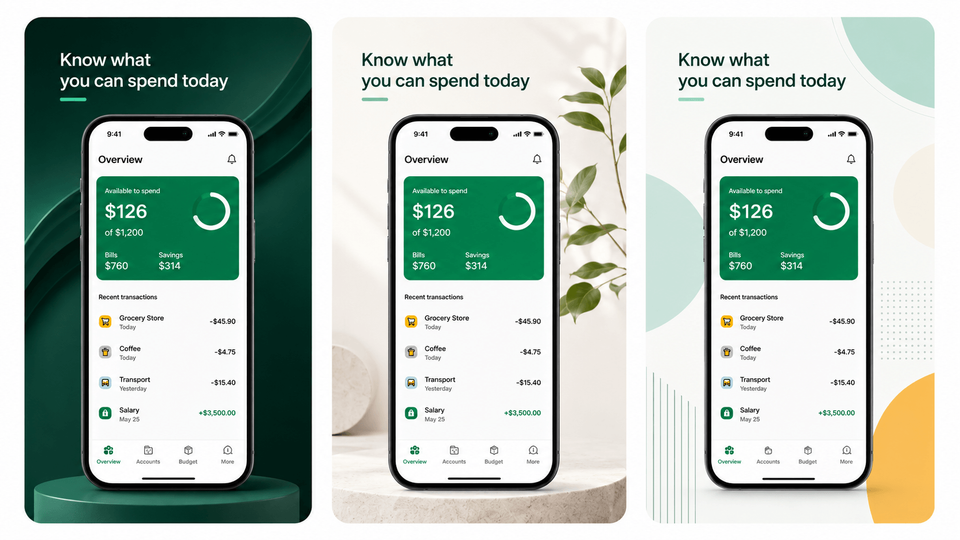
Write the question before changing the design. For a habit app: "Will leading with the routine benefit earn more installs than describing habit tracking?" Compare "Track your habits" with "Build a routine you can stick to" while keeping the app screen and layout the same. That gives one caption change a clear purpose.
Focus on a change visitors can notice: a clearer first caption, a useful feature brought into the first three screenshots, or more legible app content. For the detailed message and screenshot sequence, use the screenshot conversion guide. If you compare a completely redesigned set, treat the result as a comparison of the two complete directions, not proof that one caption or color caused it.
A meaningful question is worth preparing: OLBG reported a 45% conversion improvement from one screenshot experiment. Use the ASO testing examples to develop a hypothesis, then use your own console estimate and result to judge it.
Allocate traffic and write down the test
More variants divide the available audience among more groups. With little traffic, one or two extra downloads can move the numbers sharply, and small differences take more data to resolve. This allocation example uses 120 eligible visitors split equally; it is not a sample-size recommendation or a store default.
| Comparison | Visitors per group in this example | What it means |
|---|---|---|
| Control and one variant | 60 each | More observations for one focused question |
| Control and two variants | 40 each | Less information per group from the same total traffic |
Check how the console allocates traffic between the control and your one challenger. Keep the audience broad enough to answer your chosen question; do not divide already limited traffic into many locale or design tests. Start a test record before launch, then complete the result when you decide:
- Question and files: the hypothesis, control screenshots, challenger screenshots, and exactly what changed.
- Audience and metric: the store, listing, language, eligible traffic, baseline conversion, and the console metric you will use.
- Settings and timing: traffic allocation, relevant confidence or effect settings, estimated duration, start date, and planned review date.
- Result and decision: the console status, estimated difference and uncertainty, actual end date, and whether you applied the challenger, kept the control, or made a separate accuracy correction.
Keep the treatment unchanged while the comparison runs. Save the next caption or design idea for the next test. If a necessary app or listing update changes the comparison, document it and reassess the test rather than combining different treatments into one result.
Check comprehension before spending scarce traffic
Try the five-second check from Sammy's testing walkthrough. Show your first three screenshots briefly to someone who fits the audience, hide them, and ask what they remember. Avoid explaining the app first, because that gives away the answer you are trying to check.
- What do you think the app helps you do?
- Which benefit do you remember?
- What would you expect to happen after installing?
- What would you need to know before trying it?
Use repeated misunderstandings to revise the challenger before the experiment starts. If people understand the app but do not care about the benefit, revisit the audience or promise. A small preference survey does not identify a conversion winner, but it can stop you spending scarce store traffic on a message people cannot understand.
Decide whether to continue, stop, or apply a result
Read the console's result status and uncertainty at your planned review. Apple's PPO result guidance distinguishes performing better, performing worse, and inconclusive outcomes. A challenger briefly taking the lead is not enough to decide.
- Continue: the question still matters, the comparison is unchanged, and the estimated time remains practical within the platform's supported test period.
- Stop as inconclusive: further waiting is impractical and the console has not established a reliable difference. Retain an accurate control and record "no reliable winner". This does not prove the sets are equal.
- Act on a supported result: review the console's recommendation and apply the challenger if it performed better for the planned audience and metric, or retain the control if it performed better.
Do not search through countries, dates, or other small segments until one appears to win. Keep the planned audience and metric for the decision. An unexpected segment result is a hypothesis for another test, not a reason to relabel an inconclusive experiment as a success.
Correct inaccurate UI, outdated claims, or unreadable text now instead of waiting for a test winner. Repeated comprehension problems can also justify a clearer message. Record that separate reason and keep the previous files. You can publish the correction without claiming a measured lift; comparing next week's downloads with last week's does not isolate the screenshot change.
How do I keep small tests quick to produce?
Use AppScreens to create the alternative without hiring a designer or rebuilding every store size. Leave your published screenshots as the control, even if they came from another AI tool. Find your app and metadata with AI onboarding, choose a ready-to-go template or start from scratch, add real app captures, and edit the benefit captions and design. Preview the required sizes and export. The step-by-step screenshot guide walks through that first project.
Keep the project for future tests and app updates. After each comparison, prepare the next caption or screenshot-order variant in the same editable workflow. When your app UI changes, replace the captures and generate the required outputs again. Responsive layouts and automatic text fitting avoid rebuilding each size by hand. Per-language screenshots and images let you prepare the right assets for your chosen audience; check longer captions for awkward wrapping or text covering the app screen.
Start free with one project, AI mode, and up to five designs with essential store-size exports, then upload the files manually to your store experiment. On a plan with room for another project, duplicate an existing AppScreens set to preserve both editable versions. Language limits depend on your plan; see plans for localization, projects, and uploads.
Paid Pro and Scale plans support direct uploads to App Store Connect, including configured Product Page Optimization treatments and Custom Product Pages, and to the Google Play main listing. For a Google Play experiment, export your variants and attach them in Play Console. AppScreens prepares the creative and supported uploads; the stores allocate traffic and report the experiment results.
If the listing barely receives relevant visitors, use the post-launch download diagnosis to work on the traffic problem while your next challenger is ready.
Make one useful alternative to your current set
Choose one hypothesis and create its challenger in AppScreens. Keep your live set as the control, export the required sizes, and run the comparison when the console estimate is practical. Your editable project stays ready for the next test.
FAQ
Can I A/B test app screenshots with only a few downloads a day?
You can prepare a test, but it may remain inconclusive. Check eligible visitors, starting conversion, allocation and the console’s estimated duration instead of using daily downloads alone. Compare one meaningful alternative with the current set. AppScreens helps you prepare that variant without designing each store size again.
How much traffic do I need to A/B test screenshots?
There is no universal daily-download threshold. The required time and precision depend on eligible traffic, baseline conversion, the difference you want to detect, allocation and confidence settings. Use the estimate for your actual experiment and start with one challenger so limited traffic is not split among many ideas.
How long should I run a low-traffic screenshot test?
Use the store console’s duration estimate and reported result status for the configured experiment. A fixed number of days borrowed from another app is not enough. Continue while the comparison remains stable and a useful result is practical. If further waiting is impractical, record no reliable winner and plan a stronger hypothesis or more relevant traffic.
Should I test one screenshot or the entire set?
Change one caption or image when the question is about that element. Compare a complete set when the whole message needs a different direction, then interpret the result at set level. With little traffic, choose one meaningful challenger against the control instead of spreading visitors across several small changes.
What can I do before I have enough traffic for a screenshot test?
Show the first three screenshots for five seconds to people who fit the audience, hide them and ask what the app does and which benefit they remember. Fix repeated misunderstandings, unreadable captions and outdated app screens. This checks comprehension while you prepare the next AppScreens variant; a store experiment measures conversion.
What does an inconclusive screenshot A/B test mean?
The experiment has not established a reliable difference. Continue if the estimated time is practical. Otherwise retain the accurate control when an uncertain lead is the only reason to switch, and record no reliable winner. An inconclusive result does not prove the versions are equally effective. Independent clarity or accuracy evidence can still justify a correction.
Should I change my screenshot variant during the test?
Keep the intended comparison stable. Changing the caption, screen, order or other listing elements during the test can change the question you are measuring. If you must correct an inaccurate asset, record what changed and use the store console’s guidance for starting a fresh comparison rather than presenting the mixed result as one clean test.
Can I update bad screenshots without a statistically significant test?
Yes. Correct inaccurate UI, unreadable text, broken localization and outdated claims immediately. AppScreens lets you edit captions, replace app captures or per-language images and export the required sizes from the saved project. Record why you changed the set and keep the previous files. A clarity fix does not require claiming a measured conversion lift.