
Background waves
  • apple app store logo
  • google play store logo
  • app store connect logo
Translate screenshots into 80+ languages

Translate & Localize Screenshots for the App Stores

Translate and localize your app store screenshots into multiple languages while automatically adapting layouts, text, and device sizes for every store.

Introduction video showing AppScreens in action
150K+app professionals use AppScreens

As recommended by teams on

AppRadarAppSumoGitHubiOS Dev WeeklyProduct HuntRedditStack OverflowTwitterYouTubeFlutterFlowiOS Dev ToolsApp Masters

Localized app store screenshots

Localize App Store Screenshots Without Re-Designing Everything

Localized screenshots are the screenshot sets you upload per locale in App Store Connect and Google Play Console. It is the same layout and story, with translated copy and market-specific tweaks, exported in the correct sizes for each device.

If you are shipping globally, screenshot localization is one of the fastest ways to make your value clear to more people, faster. AppScreens lets you keep one master design, then generate upload-ready screenshot packs for all 80+ supported localizations, including RTL, without duplicating files or rebuilding layouts.

Start with the market decision first: use the app localization language guide to choose priority locales, then use the app screenshot localization checklist before exporting or uploading each set.

Localization case studies have reported +101% to +128% more downloads, with screenshot localization examples showing +33% to +36% conversion gains. Learn more →
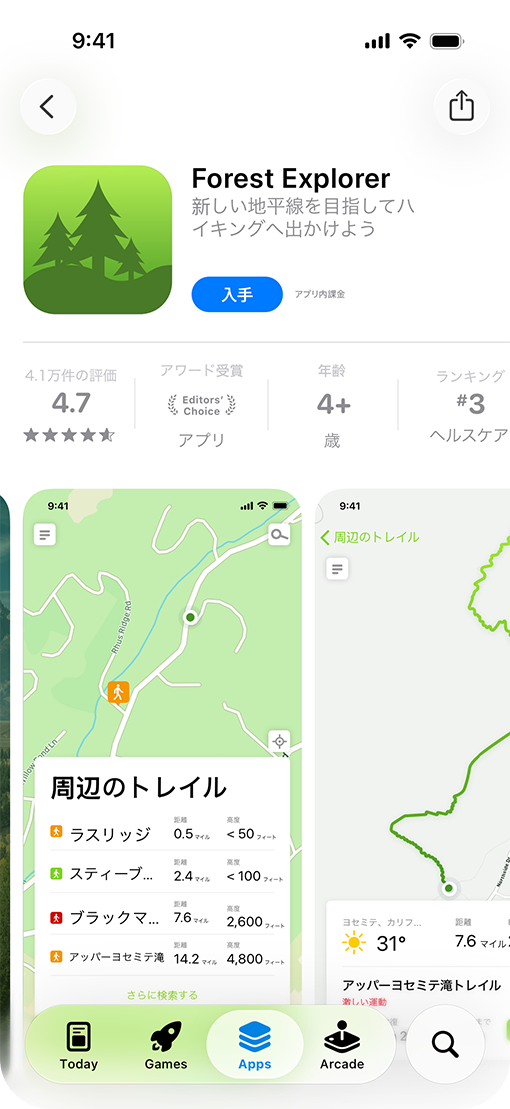
Localized App Store product page example

One master screenshot design

Keep the story consistent across every locale

Build the layout once, then create localized screenshot variants without rebuilding every device size, caption, and background from scratch.

iPhone and Android sizes

Tablet screenshots

All 80+ localizations

Upload-ready packs
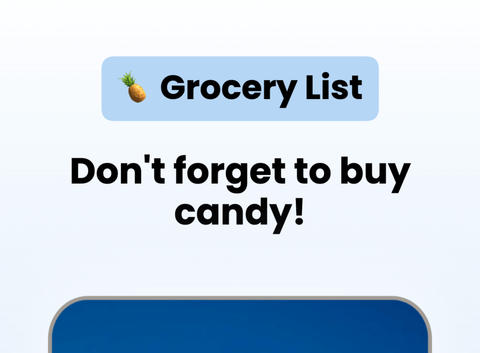
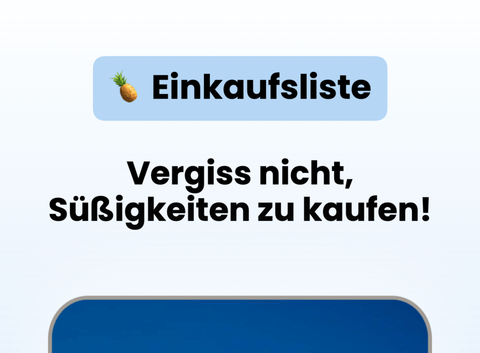
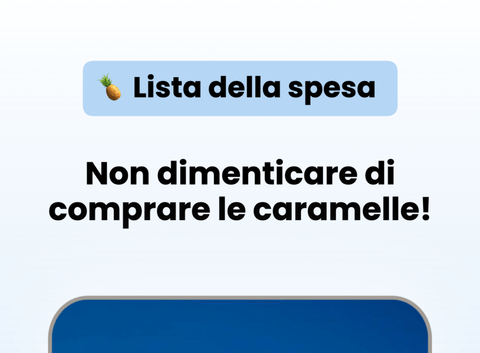
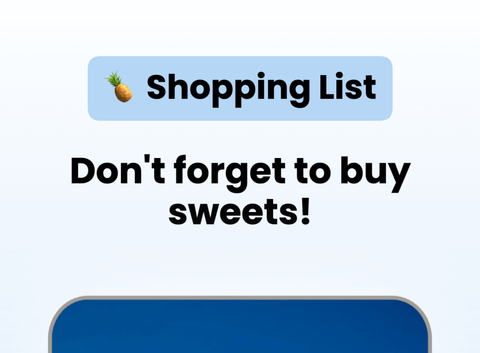
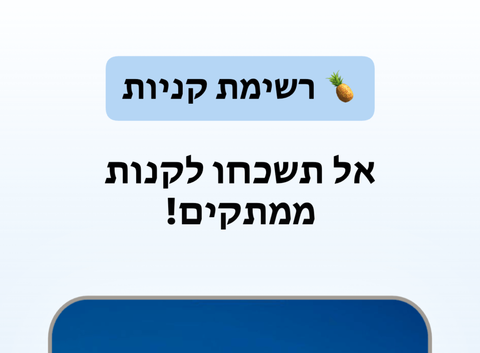
English localized screenshotGerman localized screenshotItalian localized screenshotBritish English localized screenshotHebrew localized screenshot

Translate benefits

Localize the pitch, not just the words

Adapt captions so the first screenshots feel native to each market, with wording users understand quickly. AppScreens translates screenshot copy into all 80+ supported localizations, and AI Guidance keeps the translation aligned with your brand voice, theme, tone, product terms, and market context.

Text expansion

Handle longer copy without clipping

Adjust sizing, wrapping, and spacing per language so localized headlines still look intentional. AppScreens measures translated text, resizes copy, and keeps layouts consistent across every screenshot.

RTL support

Support right-to-left layouts

Keep Arabic, Hebrew, and other RTL screenshot sets readable without manually rebuilding the whole design. AppScreens handles RTL variants inside the same project, so each locale stays aligned with the original story.

Export workflow

Export language packs ready to upload

Generate organized files for App Store Connect and Google Play so each locale is ready for release. AppScreens packages exports by store, device, and locale, and can upload them for you when you are ready.
Create App Store and Play Store Screenshots in Minutes, Not Hours

Pick a style, drop in your screens, and get a complete set of store-ready screenshots in minutes. AppScreens uses a responsive design engine, so one layout adapts across iOS and Android, in every language. When you are ready, export upload-ready files or publish straight to App Store Connect and Google Play.

Creating screenshots shouldn’t take a weekend or a design degree.

Watch a walkthrough
Create screenshots for the Apple App StoreCreate screenshots for the Google Play StoreCreate screenshots for the Huawei App GalleryCreate screenshots for the Google Chrome StoreCreate screenshots for the Amazon App StoreCreate screenshots for the Microsoft Store
resize to galaxy
resize to ipad
resize to iphone
resize to pixel6
resize to watch

Start with an App Store Template

Start with 150+ template sets and 500+ editable screenshot layouts, then export across App Store and Google Play target sizes without rebuilding each canvas. Pick a template, customize fast, then export or upload with confidence.

Screenshot 1Screenshot 2Screenshot 3Screenshot 4Screenshot 5Screenshot 6Screenshot 7Screenshot 8Screenshot 9Screenshot 10Screenshot 11Screenshot 12Screenshot 13Screenshot 14Screenshot 15Screenshot 15Screenshot 16Screenshot 17

App Screenshot Mockups

From App to Upload Ready Screenshots

AppScreens turns your app listing details into store-ready screenshots using a single responsive project. Generate every device size, translate into 80+ languages (including RTL), export pixel-perfect files, and upload directly to the stores when you are ready.

Select your appApp Store
Airbnb icon
AirbnbTravel
Dropbox icon
DropboxCloud storage
Loom icon
LoomVideo messages
Uber icon
UberMobility
Selected
Wise icon
WiseFinance
Shop icon
ShopShopping
Cosmos icon
CosmosProductivity
Retro icon
RetroWellness
Upload workflow

Upload Workflow for Screenshot Variants to App Store Connect and Google Play Console

Automatically upload App Store screenshots and Google Play screenshots in one click. Publish every device size and localization without manual exports or drag-drop work.

Ship CPP (Custom Product Pages) and PPO (Product Page Optimization) variants with the same one-click flow. For release planning, read the App Store Connect release checklist.

One-click uploads

App Store Connect

Google Play Console

All localizations

CPP + PPO variants

Publish faster →

Apple App Store Connect

App Store Connect

API Integration

Apple App Store
App Store screenshot upload preview from AppScreens
Localized App Store screenshot upload preview from AppScreens
iPhone screenshot upload preview from AppScreens
Uploading 400 assets (10 screenshots × 4 sizes × 10 languages) Live
Google Play Console

Google Play Console

API Integration

Google Play Store
Google Play feature graphic upload preview from AppScreens
Uploading feature graphic Live

Mockups included: real, clay, and 3D frames

Customize your App Store Screenshots

Customize frames, backgrounds, and titles. Make premium App Store Screenshots without heavy design work.

Customize hundreds of templates.

Inspired by Kmart: Screenshot 1Inspired by Kmart: Screenshot 2Inspired by Kmart: Screenshot 3Inspired by Kmart: Screenshot 4Inspired by Kmart: Screenshot 5Inspired by Kmart: Screenshot 6Inspired by Kmart: Screenshot 7Inspired by Kmart: Screenshot 8

Device frames.

Frameless app screenshot template previewFrameless iPhone screenshot template previewFrameless iPad screenshot template previewFrameless Google Play screenshot template preview

Text, badges & icons.

App screenshot template with emoji feature calloutApp screenshot template with emoji and benefit titleMobile screenshot template with emoji overlayApp Store screenshot template with emoji badge

Panoramic backgrounds.

Color: Screenshot 1Color: Screenshot 2Color: Screenshot 3Color: Screenshot 4Color: Screenshot 5Color: Screenshot 6Color: Screenshot 7Color: Screenshot 8
See templates

Translate & Localize Screenshots

Localize App Store and Google Play screenshots in 80+ Languages

Translate once, then export every language from the same project. Localization case studies report +101% to +128% more downloads. Learn more →

Turn one screenshot set into localized App Store screenshots and Google Play screenshots for every market. AppScreens keeps layouts consistent when text expands, contracts, or flips direction, so your screenshots stay on brand and ready to upload. Localized screenshots matter because visitors decide faster when the first frames speak to their market, language, and expectations.

Use AI to translate in seconds, then fine-tune per language when you need to. Override captions, fonts, screenshots, and spacing per locale, without duplicating projects or rebuilding layouts.

App Store Optimization = More Downloads

Improve ASO with better screenshots

App Store Screenshots are your app’s first impression. They help people picture what your app does and decide, in seconds, whether it’s worth installing. Great screenshots do more than look nice. Apps have seen up to +61% more downloads from better store assets. Learn more →

Public ASO sources cite around 90% of users not scrolling past the third screenshot, so the first frames need to explain the value fast, set expectations, and turn browsing into downloads. Ignore them, and you’re leaving one of the biggest levers in App Store Optimization on the table.

Make your value obvious in the first 3 screenshots

Test messaging and styles, measure conversions

Localize the pitch, not just the words

AppScreens makes screenshot iteration painless: restyle your project to a new template, responsive sizing, localization, and upload-ready exports. Using Product Page Optimizations & Experiments, you can try new screenshots, improve conversions and get more downloads in just a few minutes.

9:42

Search

Results

AppScreens icon

AppScreens

Screenshots & ASO

★★★★★4.9 - 2.3k ratings
GET
App Store preview screenshot 7App Store preview screenshot 8App Store preview screenshot 9
FlowShot icon

App

ASO & Product Demos

★★★★☆4.6 - 980 ratings
GET
App Store preview screenshot 10App Store preview screenshot 11App Store preview screenshot 12

We've Boosted Downloads for over 150,000 App Developers

Real feedback from app builders shipping faster and looking sharper on the App Stores.

User
UserIndie Hacking Legend

“You guys are awesome, thank you so much!”

@claytonlz
@claytonlzvia X

“Really impressed with how easy it was to make 100x better screenshots for StampBrain with @AppScreens. Nice work!”

Chuck C
Chuck Cvia Email

“Super happy with Appscreens! I was fussing around with ChatGPT for a full day trying to create something as well as photoshop. I am very happy and I wanted to thank you all!”

Jonas A
Jonas Avia Product Hunt

“Perfect for generating promotion images for the App Store! Perfect to auto translate and manage multiple translations and variations.”

User
UserIndie Hacking Legend

“You guys are awesome, thank you so much!”

@claytonlz
@claytonlzvia X

“Really impressed with how easy it was to make 100x better screenshots for StampBrain with @AppScreens. Nice work!”

Chuck C
Chuck Cvia Email

“Super happy with Appscreens! I was fussing around with ChatGPT for a full day trying to create something as well as photoshop. I am very happy and I wanted to thank you all!”

Jonas A
Jonas Avia Product Hunt

“Perfect for generating promotion images for the App Store! Perfect to auto translate and manage multiple translations and variations.”

@rolandobarbella
@rolandobarbellavia X

“I’m now using @AppScreens to create App Store screenshots for realeses, big time saver.”

Jaime M
Jaime MFounder @ Dowin

“Great for indie devs or small teams! It's super easy to use and saves you a lot of time, all without compromising design flexibility.”

Odie S
Odie SDesigner & Developer

“Thanks so much for the great tool. I managed to create screenshots for my App and I don't have any technical experience.”

Treeger
Treegervia AppSumo

“Let's face it. Creating, Resizing, Managing screenshots just take too much time. With AppScreens, you can create professional looking screenshots will take less than 15 mins.”

@rolandobarbella
@rolandobarbellavia X

“I’m now using @AppScreens to create App Store screenshots for realeses, big time saver.”

Jaime M
Jaime MFounder @ Dowin

“Great for indie devs or small teams! It's super easy to use and saves you a lot of time, all without compromising design flexibility.”

Odie S
Odie SDesigner & Developer

“Thanks so much for the great tool. I managed to create screenshots for my App and I don't have any technical experience.”

Treeger
Treegervia AppSumo

“Let's face it. Creating, Resizing, Managing screenshots just take too much time. With AppScreens, you can create professional looking screenshots will take less than 15 mins.”

@danwegner
@danwegnervia X

“AppScreens is making me sooooo happy!”

Jaxy Cook
Jax Cvia Product Hunt

“I don't think I could release my app without this tool. It single-handedly creates all the output sizes I need to release my app.”

@aliByteCode
@aliByteCodevia X

“I tried @AppScreens for designing app store screenshots, and it saved me hours. The templates are super simple and clean. There’s no design stress. I highly recommend it for solo builders.”

@danwegner
@danwegnervia X

“AppScreens is making me sooooo happy!”

Jaxy Cook
Jax Cvia Product Hunt

“I don't think I could release my app without this tool. It single-handedly creates all the output sizes I need to release my app.”

@aliByteCode
@aliByteCodevia X

“I tried @AppScreens for designing app store screenshots, and it saved me hours. The templates are super simple and clean. There’s no design stress. I highly recommend it for solo builders.”

11,221,653 screenshots exported
faqFAQs

Frequently asked questions

Can’t find the answer you’re looking for? Reach out to our customer support team.

Often, yes. When your screenshots and messaging feel native to a region, more visitors understand your value faster, which can increase installs compared to English-only creative. Public examples in our localization ROI guide include +101% to +128% more downloads, with screenshot-localization examples at +33% to +36% conversion gains.

In most cases, yes. Stores let you upload creative per locale. AppScreens helps you reuse one layout system, then swap text and assets per language without rebuilding the entire design.

Languages vary in length. AppScreens supports responsive rules and text sizing options so layouts can adapt and avoid clipping while staying consistent.

Yes. You can create right-to-left variants and adjust layouts as needed so Arabic and Hebrew screenshots read naturally.

Yes. Keep a master layout and generate localized variants per locale, so updates to layout and style stay consistent across markets.

Yes. Use one workflow to export localized assets for App Store Connect and Google Play, organized by device and language.

Yes. Use AI translation to speed up drafts, add AI Guidance for your brand voice, theme, tone, product terms, and market context, then edit copy per locale for accuracy and cultural fit.

Use a single design system: shared colors, typography, and layout blocks. Then localize copy and small elements per market while keeping the visual story consistent.

Yes. Export per language and per store, so you can upload each locale set cleanly without manually sorting files.

Update the master layout once, then propagate changes through localized variants. This makes ongoing releases and feature updates far less painful. Use our localization checklist before upload.

AppScreens
The App Store Screenshot Generator

Create App Store and Google Play screenshots with templates, responsive resizing, localization, and upload-ready exports.

App Store and Google Play screenshot templates.

Responsive screenshot layouts for every device size.

Custom fonts, text styling, and rich text.

Device frames and app screenshot mockups.

Backgrounds, gradients, and panoramic images.

Bulk import, auto-matching, and organization.

Localization, translation, and RTL support.

Export formats, sizes, and compliance.

Automatic upload to Apple and Google.

ASO workflows and iteration.

Support for all app stores.

AI integration and controls.

Turn visitors into installs

Make your app's value obvious with professional, localized, store-ready screenshots for every app store size. Screenshots ready to export, upload and publish today.